CCPA requirements and evidence
The CCPA, as amended by the CPRA, sets how you handle the personal information of California residents. This guide shows each duty and how Strac Comply evidences it.
- Controls tracked
- 71
- Automated tests cover
- 18 of 71 controls, from 54 integrations
- Evidence types
- Automated tests, policies, documents, security training, risk register
Last checked November 24, 2026Read as Markdown
What does CCPA ask for?
Strac Comply tracks the CCPA (Civ. Code §1798.100 and on) and the CPPA regulations (11 CCR §7000 and on). That includes the 2026 rules on cybersecurity audits, risk assessments and automated decisionmaking.
Your California scope answers take out duties that do not apply to you. Duties that start later show the date they start.
| Requirement | Controls | Strac Comply features (controls) | Evidence comes from |
|---|---|---|---|
| Applicability and principles | 5 | Policies (5), Documents (5) | Your policies, documents and records |
| Notices and privacy policy | 7 | Policies (7), Documents (7) | Your policies, documents and records |
| Consumer requests and records | 12 | Policies (12), Documents (12), Security training (1) | Your policies, documents and records |
| Opt-out, sensitive personal information and minors | 5 | Policies (5), Documents (5) | Your policies, documents and records |
| Non-discrimination and financial incentives | 2 | Policies (2), Documents (2) | Your policies, documents and records |
| Service providers, contractors and third parties | 6 | Policies (6), Documents (6) | Your policies, documents and records |
| Security and breach | 3 | Automated tests (1), Policies (3), Documents (3), Risk register (1), Endpoint Agent | AWS, Microsoft Azure, Cloudflare and 10 more |
| Cybersecurity program components (§7123(c)) | 18 | Automated tests (17), Policies (18), Documents (18), Security training (2), Endpoint Agent | AWS, DigitalOcean, GitHub and 51 more |
| Cybersecurity audit | 4 | Policies (4), Documents (4) | Your policies, documents and records |
| Risk assessment | 5 | Policies (5), Documents (5) | Your policies, documents and records |
| Automated decisionmaking technology | 4 | Policies (4), Documents (4) | Your policies, documents and records |
| Total | 71 |
The number beside a feature is how many controls it evidences. One control often has several kinds of evidence. The counts come from the same mapping your Controls page uses.
Here is what your auditor sees for each kind of evidence:
- Automated tests: daily results of the tests your integrations run, with each failing resource named.
- Policies: approved policies with their version and review dates.
- Documents: required documents, plans and records, each with its approved version.
- Security training: who completed security training, and when.
- Risk register: the approved risk register and its dated snapshots.
How do I track CCPA from my AI agent?
Ask your agent about CCPA in plain words. It reads the same readiness, controls and evidence you see in the dashboard.
| MCP tool | Access | What you use it for |
|---|---|---|
| get_compliance_status | Read | Your readiness for CCPA, with the count of audit-ready controls. |
| list_controls | Read | Every control in CCPA, with its completion and gaps. Its framework id is ccpa. |
| get_control | Read | One control with the evidence behind it and what is still missing. |
| get_next_actions | Read | Your next tasks for CCPA, in order. |
| list_privacy_requests | Read | Your California consumer requests with their status and deadlines. |
Try these prompts
- What's our CCPA readiness?
- Which CCPA duties start later, and when?
- List open privacy requests and their deadlines.
- Show me control 7123(c)(1) and its evidence.
What your agent gets back. Live answers from your workspace: your readiness, each control with its completion and gaps, the evidence behind a control, and your next tasks in order.
Connect your agent first.
How do I get audit-ready for CCPA?
Follow these steps in order. Each one moves controls toward audit-ready on your Frameworks page.
Admin
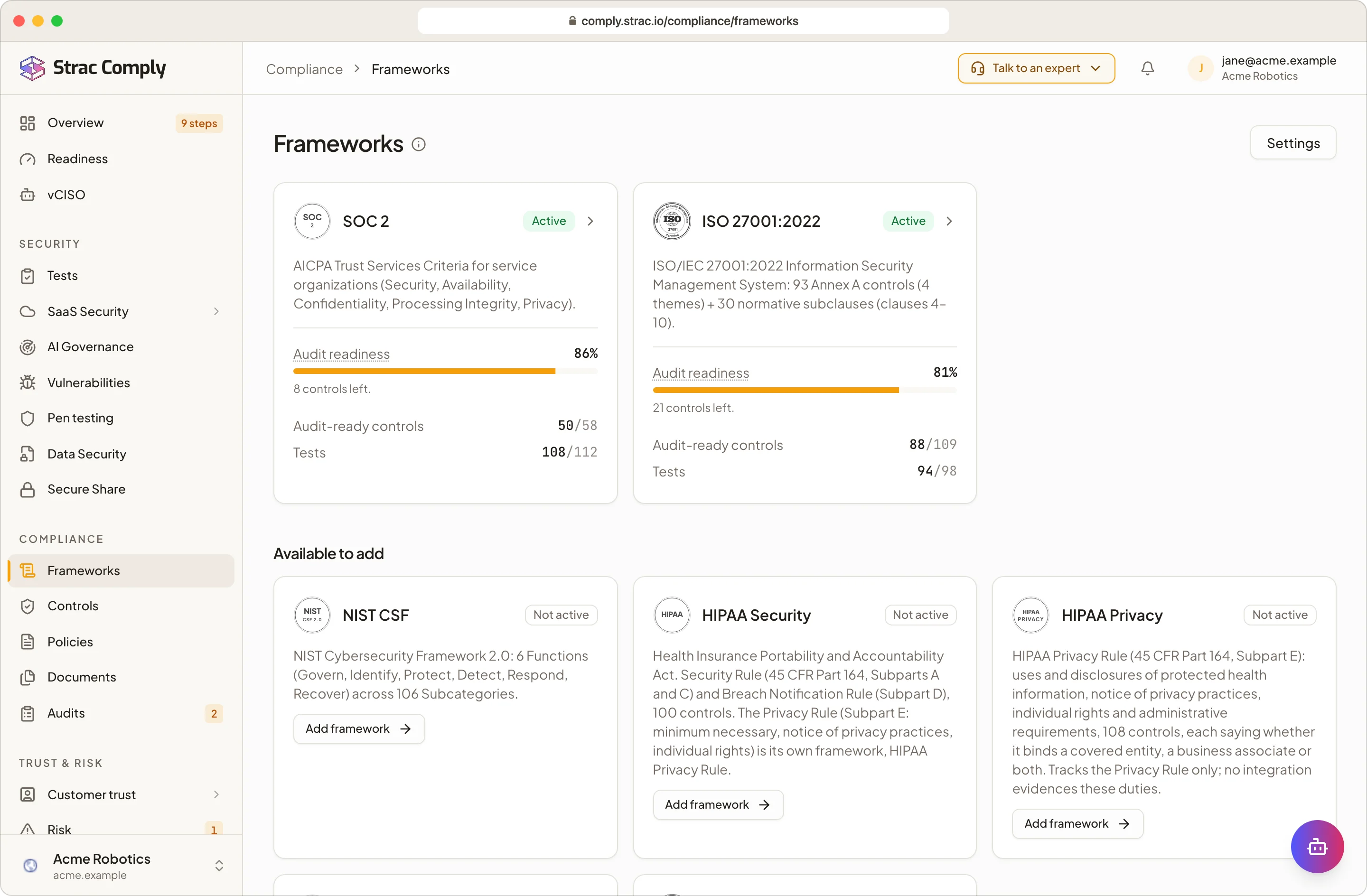
Step 1: Add CCPA
Pick CCPA in the setup wizard, or add it on the Frameworks page. Every control and the evidence it needs load at once.
Admin
Step 2: Answer the California questions
Answer the California scope questions. Duties that do not apply drop out, and later duties show their start date.
Admin
Step 3: Connect your systems
Connect your cloud, identity provider and code host on Integrations. Automated tests then run every day and attach results to your controls.
Admin
Step 4: Approve your policies
AI drafts each policy CCPA needs from your answers. Review and approve each one, then employees accept them by link.
Admin
Step 5: Complete your documents
Open Documents and finish each required document. Strac Comply drafts many of them for you to review.
Admin
Step 6: Log consumer requests
Open the consumer request log in Documents. Record each request there, and Strac Comply tracks every deadline.
Admin
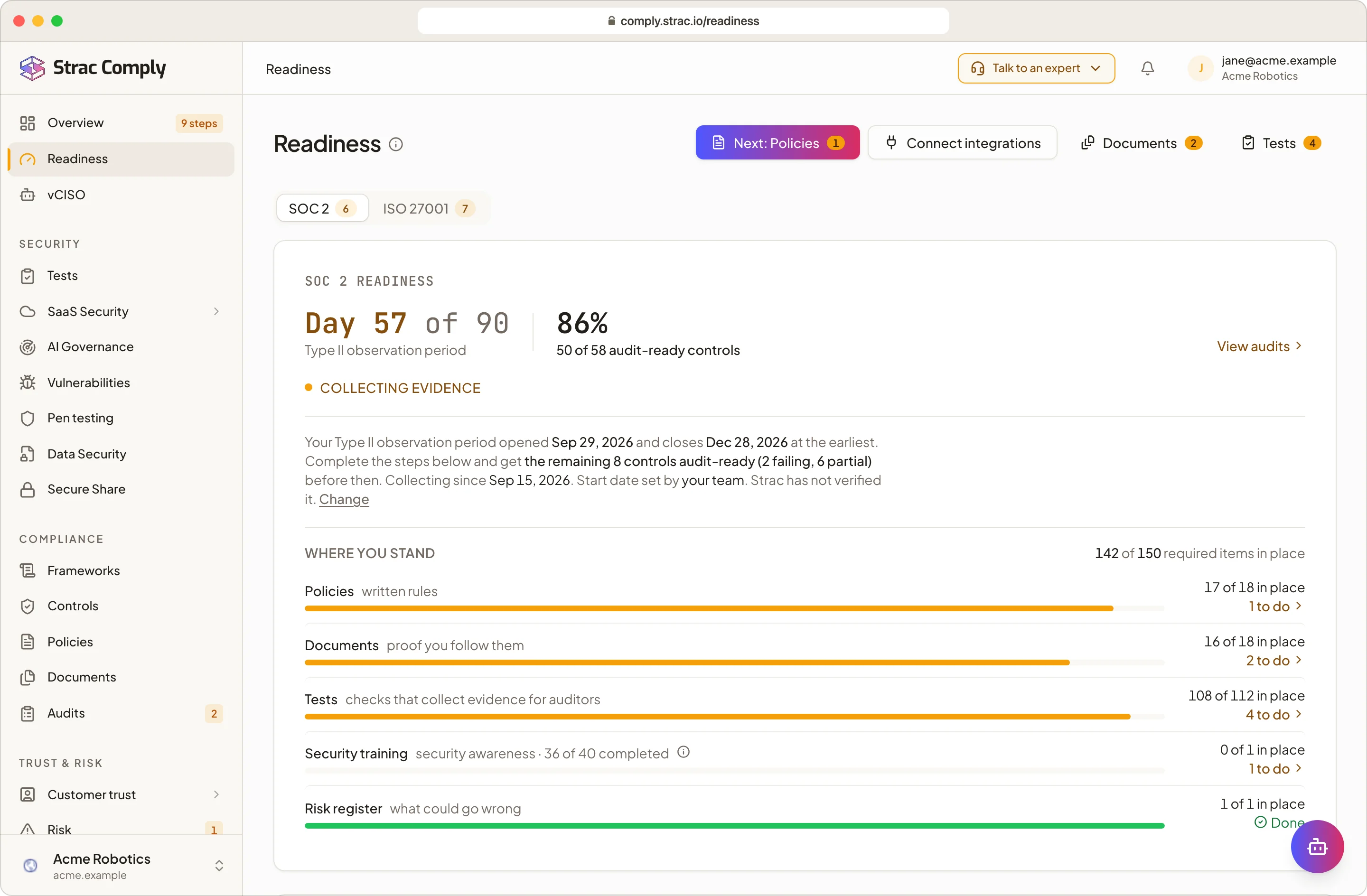
Step 7: Close the gaps
Open Readiness. It lists what is left, in order, until each control is audit-ready.
Auditor
Step 8: Invite your cybersecurity auditor
When your first audit is due, invite your independent auditor. They review your §7123 evidence in one portal.
Frequently asked questions
Does the CCPA apply to my business?
It applies to a for-profit business that does business in California and meets one threshold. These are a revenue level, data on 100,000 or more consumers, or most revenue from selling data.
Is there a CCPA certification?
No. A business whose processing presents significant risk to consumers must get an independent cybersecurity audit each year. The first audit reports are due from April 1, 2028, by revenue band.
What is the difference between the CCPA and the CPRA?
The CPRA amended the CCPA. It added rights such as correction, the sensitive personal information rules and the California Privacy Protection Agency.
How fast must I answer a consumer request?
Confirm it within 10 business days and answer within 45 calendar days. Keep the request records for 24 months.
Next steps
- CCPA / CPRA with Strac ComplyWhat Strac Comply includes for CCPA, and how to start.
- SOC 2The Trust Services Criteria and how Strac Comply evidences them.
- Strac Endpoint AgentCheck every work computer and use the results as evidence.
- Connect your AI agentAdd the MCP server to your agent and see every tool.
New to Strac Comply? Start free trial.