SOC 2 requirements and evidence
SOC 2 asks you to prove your security controls to a CPA firm. This guide shows each requirement, the Strac Comply features that cover it and how each control is evidenced.
- Controls tracked
- 61
- Automated tests cover
- 17 of 61 controls, from 58 integrations
- Evidence types
- Automated tests, policies, documents, security training, risk register, vendors
Last checked November 24, 2026Read as Markdown
What does SOC 2 ask for?
SOC 2 is an attestation report on the AICPA Trust Services Criteria (TSC 2017). The common criteria, CC1 to CC9, cover Security and are always in scope.
You add Availability, Confidentiality, Processing Integrity or Privacy only when your commitments to customers need them.
| Requirement | Controls | Strac Comply features (controls) | Evidence comes from |
|---|---|---|---|
| CC1 Control environment | 5 | Automated tests (1), Policies (5), Documents (5), Policy acceptance (1), Security training (1) | Certn, Checkr, Google Workspace and 1 more |
| CC2 Communication and information | 3 | Automated tests (1), Policies (3), Documents (3), Policy acceptance (1), Security training (1) | KnowBe4 |
| CC3 Risk assessment | 4 | Policies (4), Documents (4), Risk register (3) | Your policies, documents and records |
| CC4 Monitoring activities | 2 | Policies (2), Documents (2) | Your policies, documents and records |
| CC5 Control activities | 3 | Automated tests (2), Policies (3), Documents (3) | Jamf Pro, Iru (Kandji) and Zoom |
| CC6 Logical and physical access controls | 8 | Automated tests (6), Policies (8), Documents (8), Endpoint Agent | AWS, Microsoft Entra ID, Google Workspace and 49 more |
| CC7 System operations | 5 | Automated tests (4), Policies (5), Documents (5), Endpoint Agent | CrowdStrike, AWS, SentinelOne and 11 more |
| CC8 Change management | 1 | Automated tests (1), Policies (1), Documents (1) | Azure DevOps, Bitbucket, GitHub and 3 more |
| CC9 Risk mitigation | 2 | Policies (2), Documents (2), Risk register (2), Vendors (1) | Your policies, documents and records |
| A1 Availability | 3 | Automated tests (1), Policies (3), Documents (3) | AWS, Microsoft Azure, DigitalOcean and 4 more |
| C1 Confidentiality | 2 | Automated tests (1), Policies (2), Documents (2) | DocuSign |
| PI1 Processing integrity | 5 | Policies (5), Documents (5) | Your policies, documents and records |
| P1 to P8 Privacy | 18 | Policies (18), Documents (18) | Your policies, documents and records |
| Total | 61 |
The number beside a feature is how many controls it evidences. One control often has several kinds of evidence. The counts come from the same mapping your Controls page uses.
Here is what your auditor sees for each kind of evidence:
- Automated tests: daily results of the tests your integrations run, with each failing resource named.
- Policies: approved policies with their version and review dates.
- Documents: required documents, plans and records, each with its approved version.
- Policy acceptance: the record of each employee who accepted a policy, and when.
- Security training: who completed security training, and when.
- Risk register: the approved risk register and its dated snapshots.
- Vendors: vendor risk assessments and security reviews.
How do I track SOC 2 from my AI agent?
Ask your agent about SOC 2 in plain words. It reads the same readiness, controls and evidence you see in the dashboard.
| MCP tool | Access | What you use it for |
|---|---|---|
| get_compliance_status | Read | Your readiness for SOC 2, with the count of audit-ready controls. |
| list_controls | Read | Every control in SOC 2, with its completion and gaps. Its framework id is soc2. |
| get_control | Read | One control with the evidence behind it and what is still missing. |
| get_next_actions | Read | Your next tasks for SOC 2, in order. |
Try these prompts
- What's our SOC 2 readiness right now?
- Which SOC 2 controls are not audit-ready yet, and why?
- Show me the evidence behind CC6.1.
- What should I do next for SOC 2, in order?
What your agent gets back. Live answers from your workspace: your readiness, each control with its completion and gaps, the evidence behind a control, and your next tasks in order.
Connect your agent first.
How do I get audit-ready for SOC 2?
Follow these steps in order. Each one moves controls toward audit-ready on your Frameworks page.
Admin
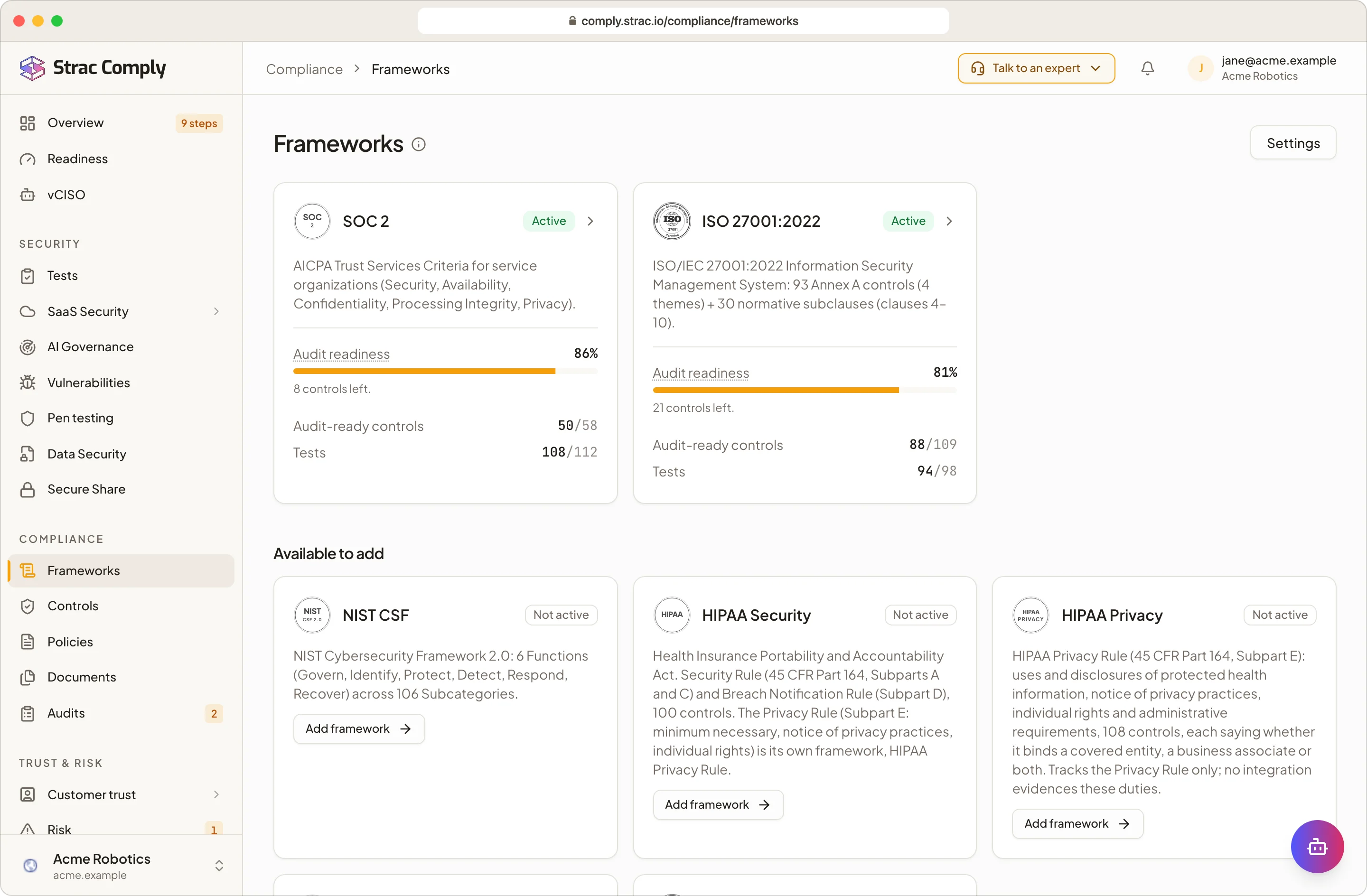
Step 1: Add SOC 2
Pick SOC 2 in the setup wizard, or add it on the Frameworks page. Every control and the evidence it needs load at once.
Admin
Step 2: Set your audit scope
Choose the Trust Services Criteria for your report. Security is always in. Controls outside your scope stop counting.
Admin
Step 3: Connect your systems
Connect your cloud, identity provider and code host on Integrations. Automated tests then run every day and attach results to your controls.
Admin
Step 4: Approve your policies
AI drafts each policy SOC 2 needs from your answers. Review and approve each one, then employees accept them by link.
Admin
Step 5: Complete your documents
Open Documents and finish each required document. Strac Comply drafts many of them for you to review.
Admin
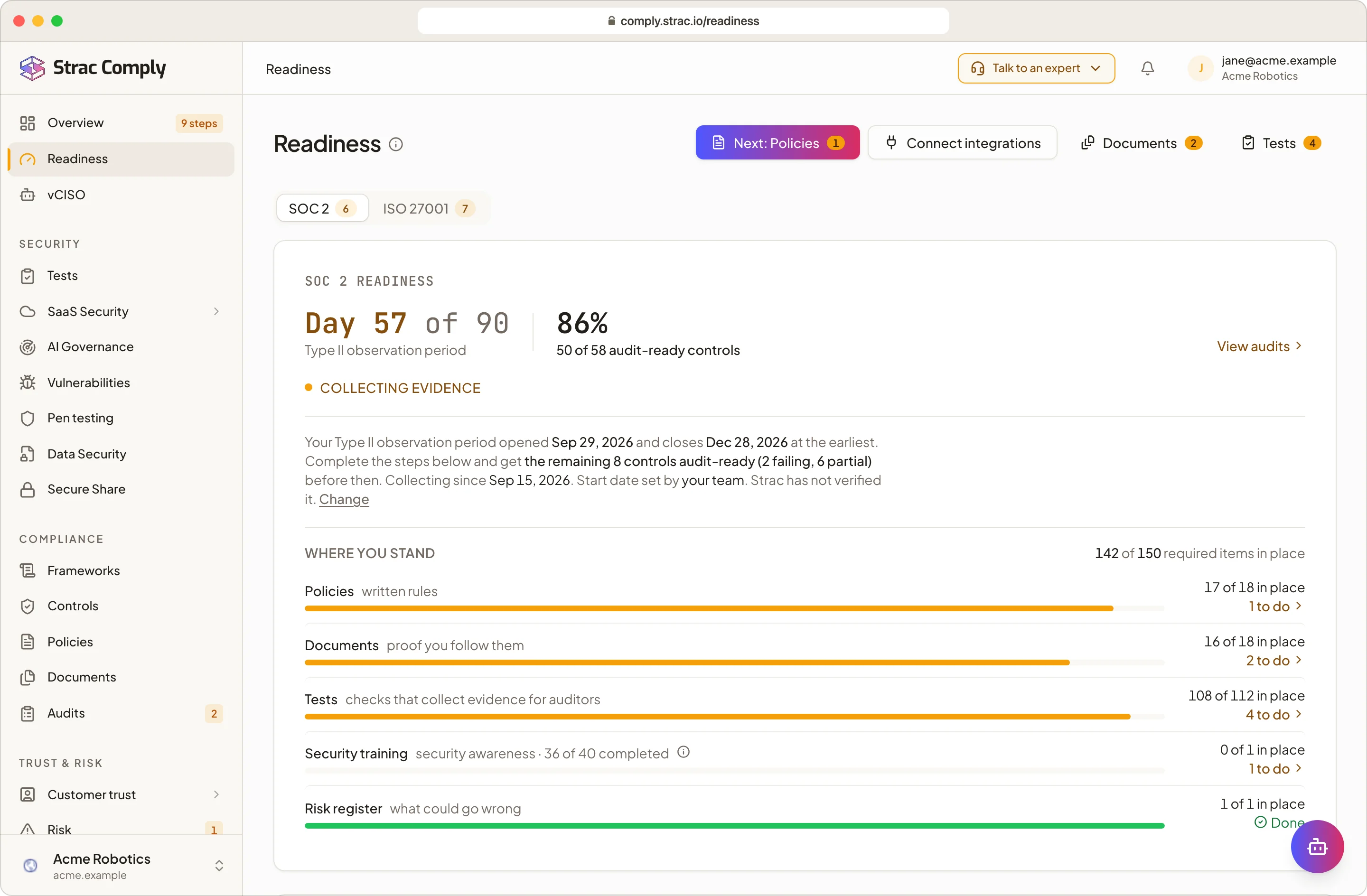
Step 6: Close the gaps
Open Readiness. It lists what is left, in order, until each control is audit-ready.
Auditor
Step 7: Invite your auditor
Create an audit on Audits and invite your CPA firm. Your auditor samples evidence and signs off in one portal.
Frequently asked questions
What is the difference between SOC 2 Type 1 and Type 2?
A Type 1 report checks that your controls are designed well on one date. A Type 2 report checks that they worked over a period, usually 3 to 12 months.
Which Trust Services Criteria do I need?
Security is always required. Add Availability, Confidentiality, Processing Integrity or Privacy when you promise those to customers. Set them as your audit scope in Strac Comply.
Does Strac Comply issue the SOC 2 report?
No. A licensed CPA firm audits you and issues the report. Strac Comply gets you ready and gives your auditor one place to review the evidence.
How does my SOC 2 auditor see the evidence?
Create an audit on the Audits page and invite them. They create an auditor account from the invite, with an emailed code and a password. They never get a Strac Comply workspace. In one portal they sample a frozen copy of your evidence, raise requests and sign off.
Can I reuse SOC 2 evidence for ISO 27001?
Yes. Where the controls match, one passing test or approved policy counts in each framework you add.
Next steps
- SOC 2 with Strac ComplyWhat Strac Comply includes for SOC 2, and how to start.
- ISO 27001Clauses 4 to 10, Annex A and how Strac Comply evidences them.
- Strac Endpoint AgentCheck every work computer and use the results as evidence.
- Connect your AI agentAdd the MCP server to your agent and see every tool.
New to Strac Comply? Start free trial.