Trust portal and security questionnaires
Publish a trust portal that answers buyer security questions before they ask. Share reports with the people you approve, and answer security questionnaires with AI drafts from your own data.
- Public page
- comply.strac.io/trust-portal/your-company, or your own domain
- Questionnaires
- Excel or CSV, answered with AI drafts you approve
- Plans
- Every plan
Last checked November 24, 2026Read as Markdown
How do I use my AI agent with the trust portal?
You set up the portal and its questionnaires in the dashboard. Your agent helps with what the portal shares: your policies, your documents, your readiness and answers to security questions.
| MCP tool | Access | What you use it for |
|---|---|---|
| ask_compliance_question | Read | Ask a security question in plain words and get an answer grounded in your live setup. |
| list_policies | Read | Every policy with its status and next review date, so you share only approved, current ones. |
| list_documents | Read | Your compliance documents and their status. |
| get_compliance_status | Read | Your readiness for each framework. |
Try these prompts
- Draft an answer to this question from our current setup: Do you encrypt customer data at rest?
- Which of our policies are approved and current, so I can share them?
- Which documents are still drafts?
- What is our SOC 2 readiness right now?
What your agent gets back. A plain answer to each question, grounded in your tests, policies and documents. Lists come back with each item's status and review date.
Connect your agent first.
How do I set up the trust portal?
Strac Comply can fill much of the portal from your website and your program. You review it, then publish.
Admin
Step 1: Set up and publish
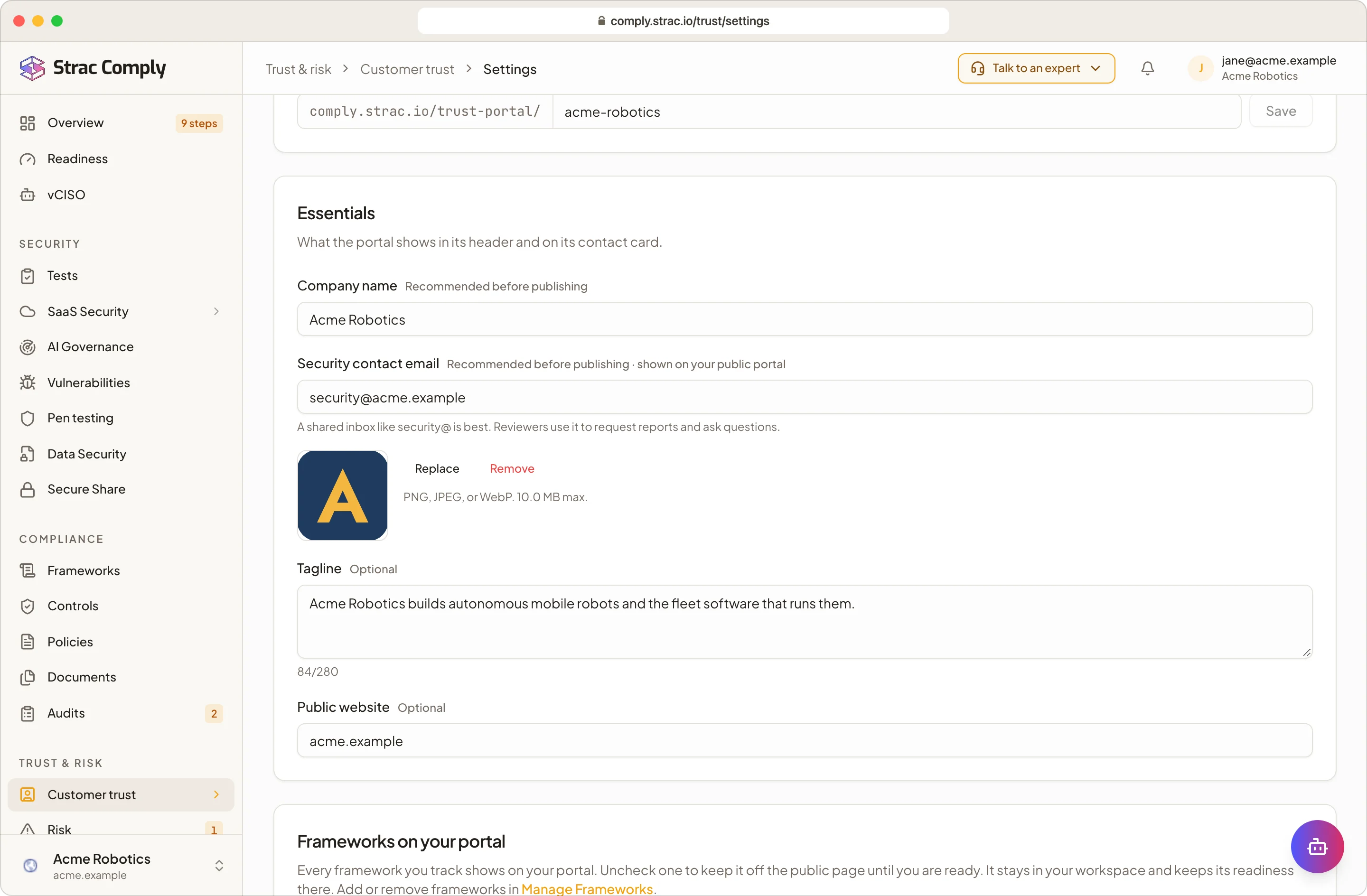
Open Customer trust > Settings. Add your company name, security contact and logo. Then click Publish.
Admin
Step 2: Share what buyers ask for
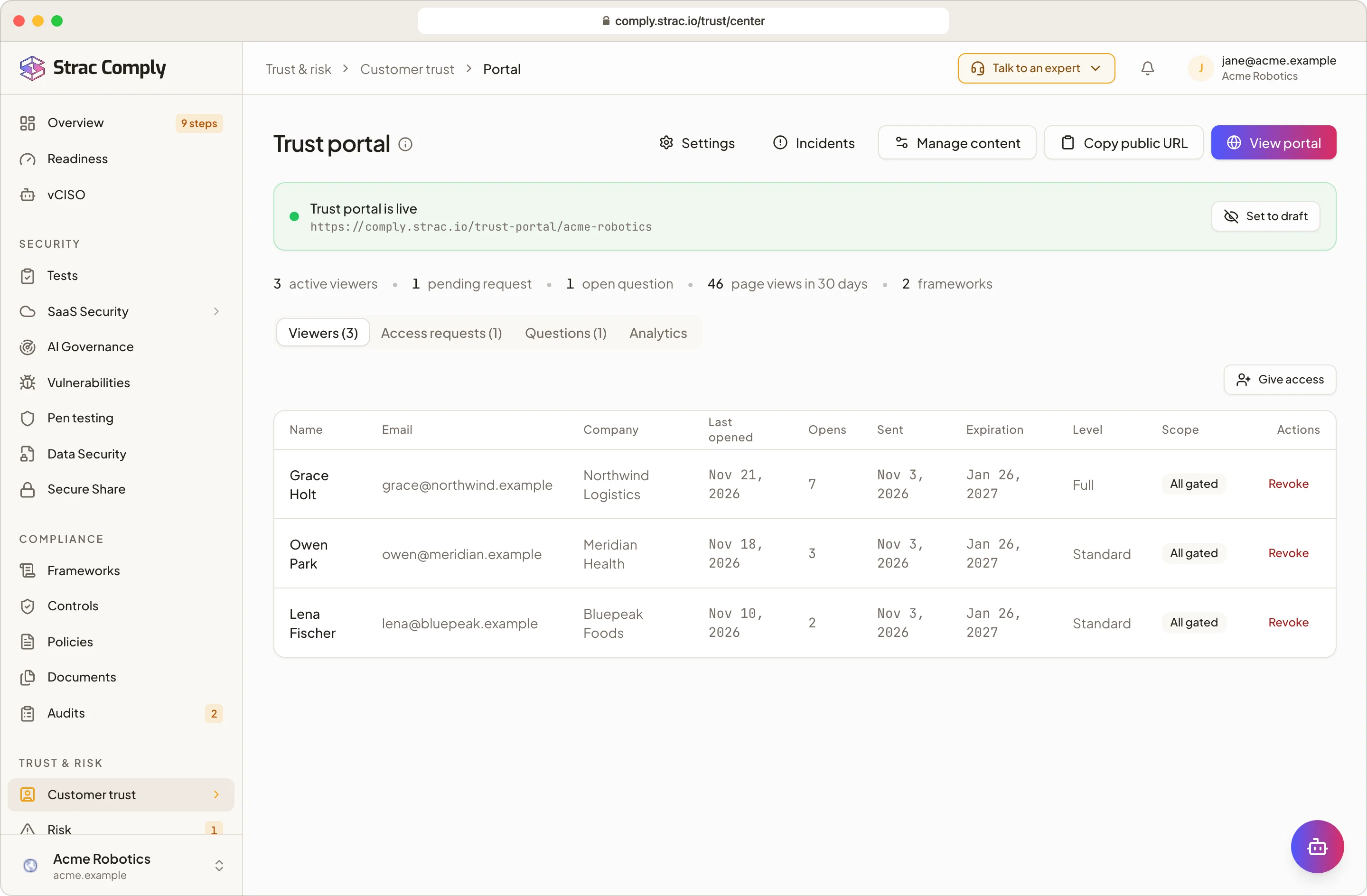
Open Customer trust > Portal. Approve access requests, or click Give access to share a report with one person.
Admin
Step 3: Answer a questionnaire
Open Questionnaires and click Upload questionnaire. Review the AI drafts, approve them, then click Export Excel.
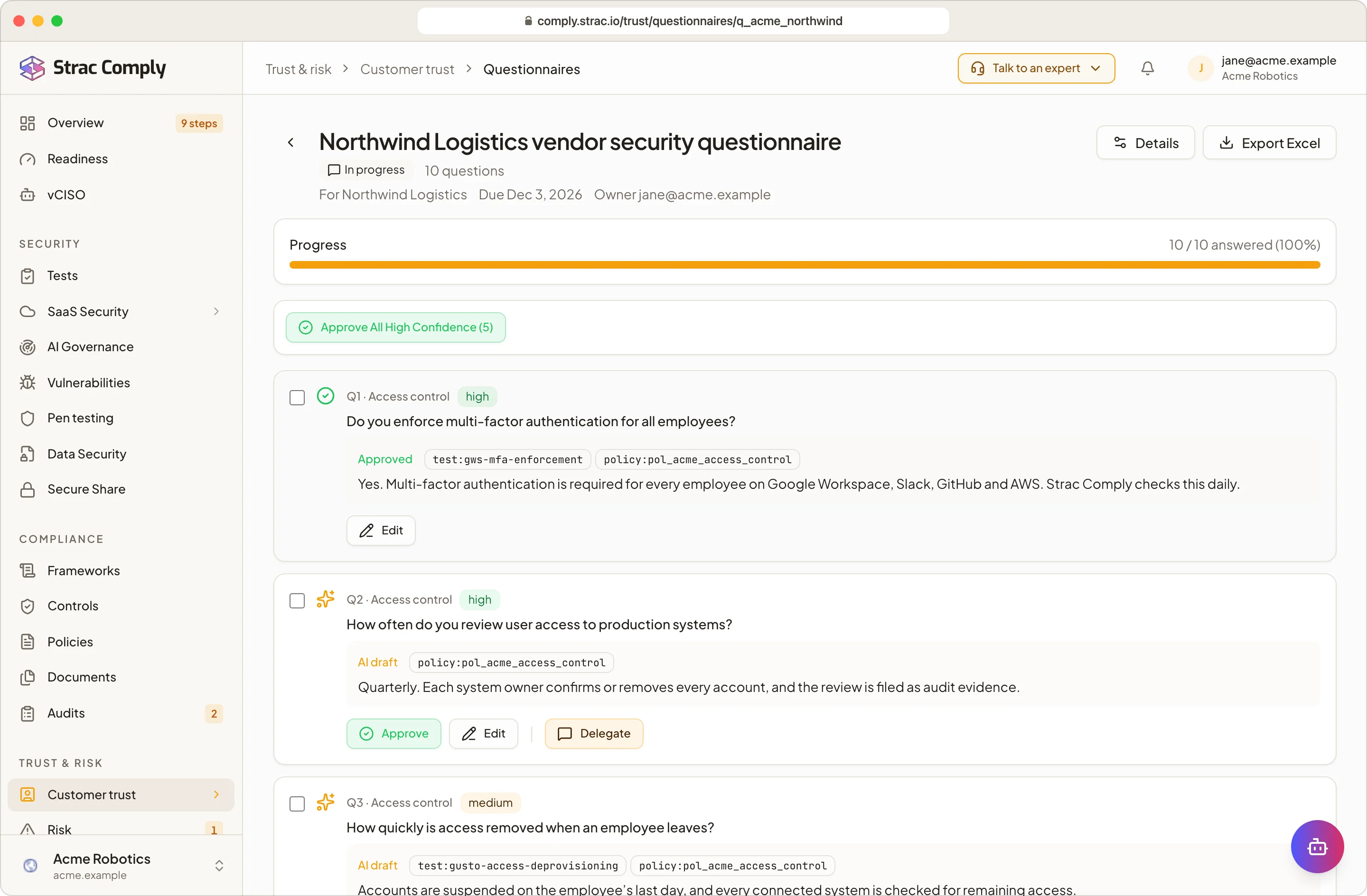
Every answer you approve goes into your Knowledge base. The next questionnaire starts from those answers.
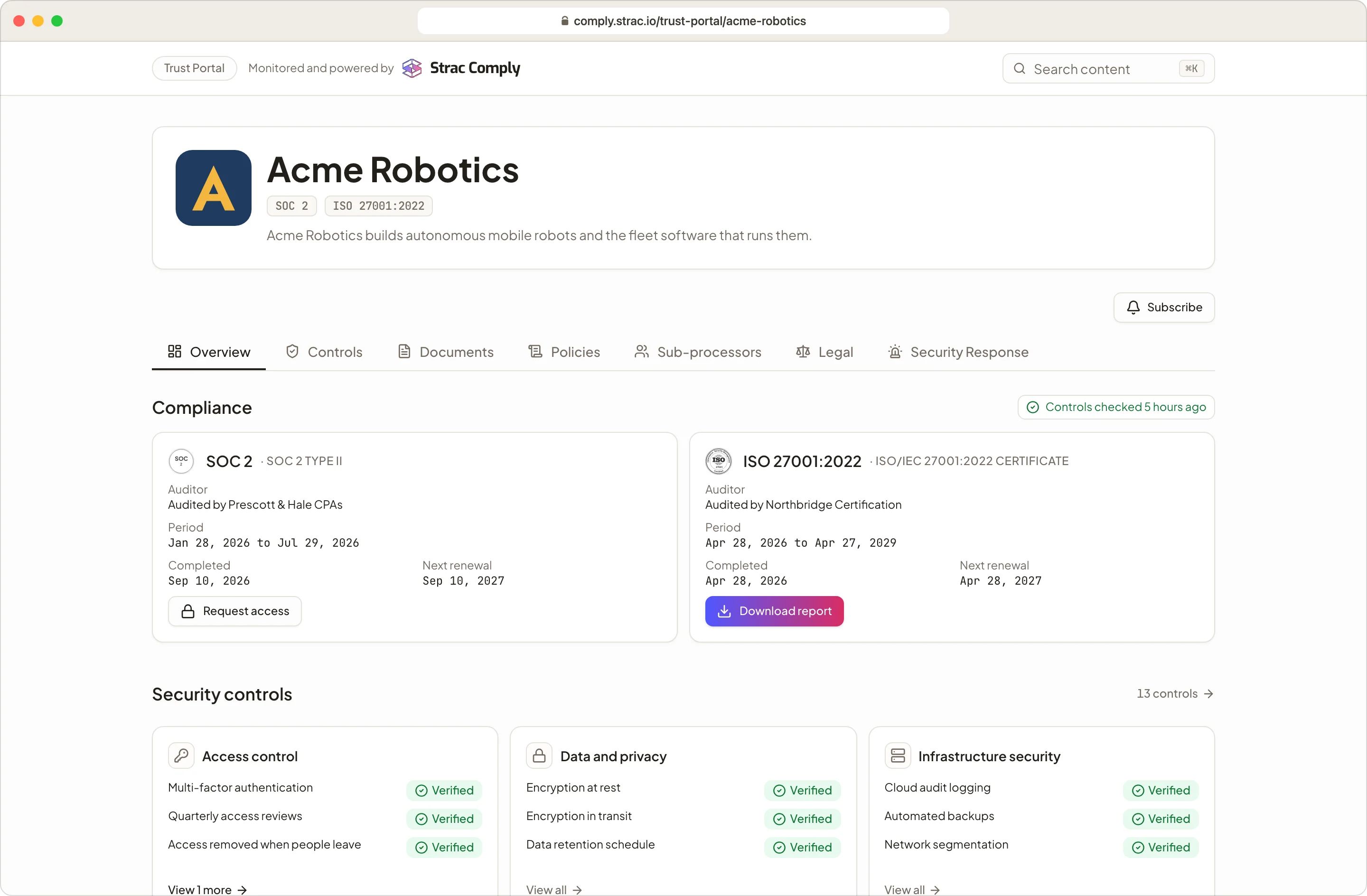
This is what a visitor sees on a published portal: your audits and frameworks, your documents and policies, and the controls Strac Comply has verified.
What does the trust portal show?
You choose what is public and what a visitor must ask for. Each part of the portal has its own setting.
| Part of the portal | What visitors see | Who can see it |
|---|---|---|
| Frameworks and audits | The frameworks you choose to show, with your audit reports and certificates | Reports: the people you approve, or everyone if you allow a public download |
| Controls | Your controls by category, as Strac Comply verified them | Everyone |
| Security documents and policies | The documents and policies you choose to share | Everyone, or the people you approve |
| Sub-processors | The vendors you mark as sub-processors | Everyone |
| Questions and updates | A form to ask your security team a question, and a way to subscribe to updates | Everyone, unless you turn them off |
A draft portal is private. Anyone on your team can preview it before an admin publishes it.
If you set the portal to Request access only, visitors see your name, your frameworks and a request form, and nothing else.
Which controls does the portal show?
The portal groups your controls into the categories below, across every framework you show. A control shows once, even when several frameworks share it.
| Category | What it covers |
|---|---|
| Access control | How access is granted, reviewed, and revoked, and how identity is proven. |
| Data and privacy | How customer data is classified, encrypted, retained, and kept private. |
| Infrastructure security | How production systems and the assets that run them are configured and protected. |
| Network security | How the network perimeter is segmented, filtered, and kept off the public internet. |
| Endpoint security | How laptops and workstations are managed, encrypted, and defended against malware. |
| Product security | How security is built into the product and its development lifecycle. |
| Vulnerability management | How vulnerabilities are found, prioritised, patched, and re-tested. |
| Monitoring and response | How systems are logged and watched, and how incidents are detected and handled. |
| Business continuity | How data is backed up and how service is restored after a disruption. |
| Risk management | How risks to the business are identified, assessed, and treated. |
| Vendor management | How third parties are vetted, contracted, and reviewed for security. |
| Physical security | How facilities, equipment, and physical media are protected and disposed of. |
| Organizational security | How the company governs security: leadership, people, and training. |
| Internal security procedures | The day-to-day procedures and management activities behind the programme. |
You can hide a control or move it to another category. The portal itself is not a control. It shows the evidence your program already has.
Frequently asked questions
Is the trust portal public?
Only after an admin publishes it. Until then it is a draft that only your team can preview.
Can I use my own domain, such as trust.yourcompany.com?
Yes. Open Customer trust > Settings > Custom domain and add the DNS records it shows.
How do I keep our audit report private?
Share it only with the people you approve. Approve an access request, or click Give access for one person. You can also ask every visitor to accept your privacy policy before they see the portal.
Which questionnaire files can I upload?
Excel and CSV files, up to 10 MB and 500 questions.
Do AI drafts go to the customer without review?
No. Strac Comply writes only the answers you approved into your own file. If it cannot use your file, the export lists every answer with its status, so a draft stays marked as a draft.
Can I see who opened the portal?
Yes. Admins see page views and downloads, and when each person with access last opened it.
Next steps
- Audits and the auditor portalHand your auditor the evidence behind what your portal shows.
- Security policiesDraft and approve the policies your portal shares.
- All guidesSet up the rest of Strac Comply, one feature at a time.
New to Strac Comply? Start free trial.