Readiness: what's left before your audit
Readiness shows how close each framework is to audit-ready, and every step still open. Work down the list, and your score rises as controls become audit-ready.
- Score
- Audit-ready controls out of the controls that apply
- Group steps by
- Evidence type, next move or owner
- Not applicable
- Leaves the score, with a reason your auditor sees
Last checked November 25, 2026Read as Markdown
How do I ask my AI agent what is left?
Your agent reads the same steps you see on Readiness. With write access, it can also assign owners and mark controls not applicable.
| MCP tool | Access | What you use it for |
|---|---|---|
| get_compliance_status | Read | Your score for each framework, and the SOC 2 observation period. |
| get_next_actions | Read | Every missing piece of evidence for a framework, with quick wins, owners and due dates. |
| list_controls | Read | Every control with its completion and what it still needs. |
| assign_control_owner | Write | Set or clear the owner of controls. |
| mark_control_na | Write | Mark a control not applicable, with a reason your auditor sees. |
| list_waivers | Read | Every waiver and exclusion on record. Owners and admins only. |
Try these prompts
- What's left before our SOC 2 audit?
- Which steps are overdue, and who owns them?
- Give me three quick wins for ISO 27001.
- Make dana@example.com the owner of the CC6 controls.
What your agent gets back. Your score and the steps left for each framework, with owners, due dates and the controls each step unblocks.
Write tools need an owner or admin.
How do I work through Readiness in the dashboard?
Admin
Step 1: Pick a framework
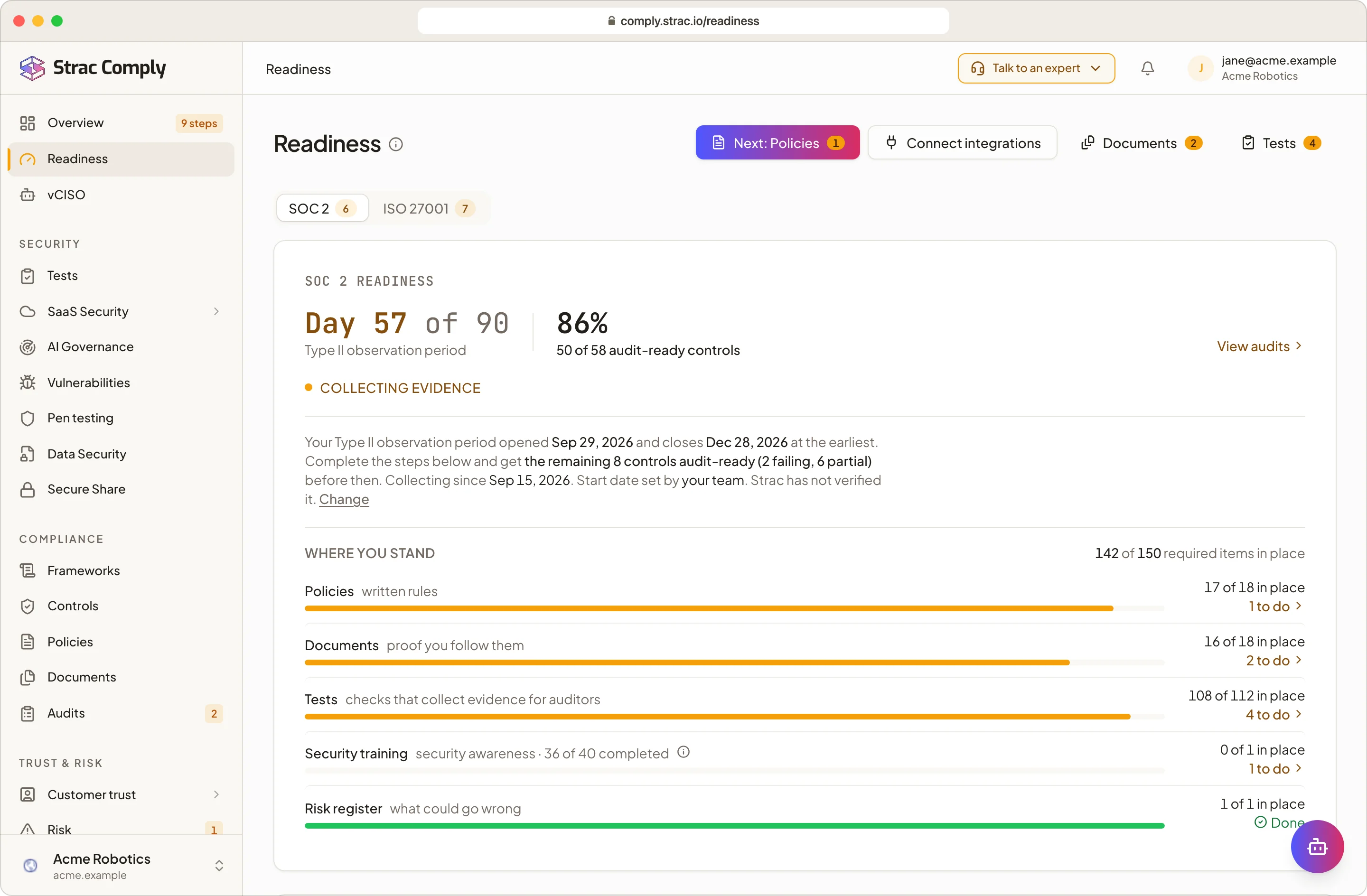
Open Readiness and choose a framework tab. The card shows your score and how many controls are audit-ready.
Admin
Step 2: Start at the top
The Start here chip marks where to begin. Open a step to work on it.
Admin
Step 3: Group the list
Use Group by to sort the steps by evidence type, next move or owner.
Admin
Step 4: Give each step an owner
Choose Assign on a step to set an owner and date. A member chooses Take this for themselves.
Admin
Step 5: Finish each step
Approve a policy, publish a document or fix a failing test. The step closes when its evidence is in place.
Admin
Step 6: Mark what does not apply
On a policy or document step, choose N/A and give a reason of 10 characters or more. Then choose Mark N/A.
How is the readiness score calculated?
Your score is the share of applicable controls that are audit-ready. It always matches the N of M audit-ready controls line on the card.
A control is audit-ready when all its evidence is complete and current. A documented accepted-risk waiver or an approved compensating control also counts, and it is labelled.
Partial work moves the evidence tiles, not the score. A control counts only when all its evidence is in place.
A not applicable control leaves both sides of the score, so the score rises. It still shows an N/A badge.
California privacy duties that start on a later date wait under Due later. They stay out of the score until that date.
When is a step done?
| Step | Done when |
|---|---|
| Policy | An owner or admin approves it. |
| Document | You publish it. |
| Test | It passes on its next run. |
| Employee acknowledgments | 80% of active employees accept the current version. |
| Security training | Your people complete it. |
| Risk register | Management approves it. |
Frequently asked questions
Why doesn't my score move when I upload evidence?
A control counts only when all its evidence is complete and current. Partial work moves the evidence tiles first.
Does an accepted risk count as audit-ready?
Yes, when the waiver is documented. The control counts as audit-ready and shows that label, so your auditor sees the choice.
Who can act on Readiness steps?
Owners and admins act on every step. A member can take a step for themselves and set their own date.
Can I mark ISO 27001 clauses 4 to 10 not applicable?
No. ISO 27001 requires every clause from 4 to 10. You can exclude an Annex A control, with a reason.
What is the SOC 2 observation period?
A SOC 2 Type II report covers a span of time, often 3 to 12 months. Owners and admins set its start date on Readiness.
Next steps
- Roles: who does whatOwners, admins, members, viewers, employees and auditors.
- Your first hour: the setup wizardEach of the ten setup steps, and which ones you can skip.
- How Strac Comply worksFrameworks, controls, evidence and audits, and how they fit together.
- SOC 2 requirements and evidenceEach Trust Services Criteria series and how Strac Comply evidences it.
- Connect your AI agentAdd the MCP server to your agent and see every tool.
New to Strac Comply? Start free trial.