HIPAA Privacy Rule requirements and evidence
The HIPAA Privacy Rule sets how you may use and disclose protected health information, and what rights patients have. This guide shows each duty and how you evidence it.
- Controls tracked
- 108
- Evidenced by
- Policies, documents and records
- Evidence types
- Policies, documents, security training
Last checked November 24, 2026Read as Markdown
What does the HIPAA Privacy Rule ask for?
The Privacy Rule is in 45 CFR Part 164, Subpart E. It covers uses and disclosures, the notice of privacy practices, individual rights and administrative duties.
Each control says whether it binds a covered entity, a business associate or both.
| Requirement | Controls | Strac Comply features (controls) | Evidence comes from |
|---|---|---|---|
| Applicability and transition | 3 | Policies (3), Documents (3) | Your policies, documents and records |
| Uses and disclosures: general rules | 14 | Policies (14), Documents (13) | Your policies, documents and records |
| Business associates and contracts | 15 | Policies (15), Documents (15) | Your policies, documents and records |
| Group health plans | 5 | Policies (5), Documents (5) | Your policies, documents and records |
| Authorizations | 10 | Policies (10), Documents (10) | Your policies, documents and records |
| Permitted disclosures and their conditions | 10 | Policies (10), Documents (10) | Your policies, documents and records |
| Research, de-identification, limited data sets and fundraising | 5 | Policies (5), Documents (5) | Your policies, documents and records |
| Minimum necessary | 4 | Policies (4), Documents (4) | Your policies, documents and records |
| Notice of privacy practices | 9 | Policies (9), Documents (9) | Your policies, documents and records |
| Individual rights | 20 | Policies (20), Documents (20) | Your policies, documents and records |
| Administrative requirements | 13 | Policies (13), Documents (12), Security training (1) | Your policies, documents and records |
| Total | 108 |
The number beside a feature is how many controls it evidences. One control often has several kinds of evidence. The counts come from the same mapping your Controls page uses.
You show Privacy Rule duties with policies, documents and records, not system tests. Keep patient details out of what you upload.
Here is what your auditor sees for each kind of evidence:
- Policies: approved policies with their version and review dates.
- Documents: required documents, plans and records, each with its approved version.
- Security training: who completed security training, and when.
How do I track the HIPAA Privacy Rule from my AI agent?
Ask your agent about the HIPAA Privacy Rule in plain words. It reads the same readiness, controls and evidence you see in the dashboard.
| MCP tool | Access | What you use it for |
|---|---|---|
| get_compliance_status | Read | Your readiness for the HIPAA Privacy Rule, with the count of audit-ready controls. |
| list_controls | Read | Every control in the HIPAA Privacy Rule, with its completion and gaps. Its framework id is phi-privacy. |
| get_control | Read | One control with the evidence behind it and what is still missing. |
| get_next_actions | Read | Your next tasks for the HIPAA Privacy Rule, in order. |
| list_policies | Read | Your Privacy Rule policies with their status and review dates. |
| list_documents | Read | Your Privacy Rule documents, such as the notice of privacy practices, with their status. |
Try these prompts
- What's our HIPAA Privacy Rule readiness?
- Which Privacy Rule controls apply to us as a business associate?
- Which Privacy Rule documents are still missing?
- Show me the controls for individual rights and their evidence.
What your agent gets back. Live answers from your workspace: your readiness, each control with its completion and gaps, the evidence behind a control, and your next tasks in order.
Connect your agent first.
How do I get audit-ready for the HIPAA Privacy Rule?
Follow these steps in order. Each one moves controls toward audit-ready on your Frameworks page.
Admin
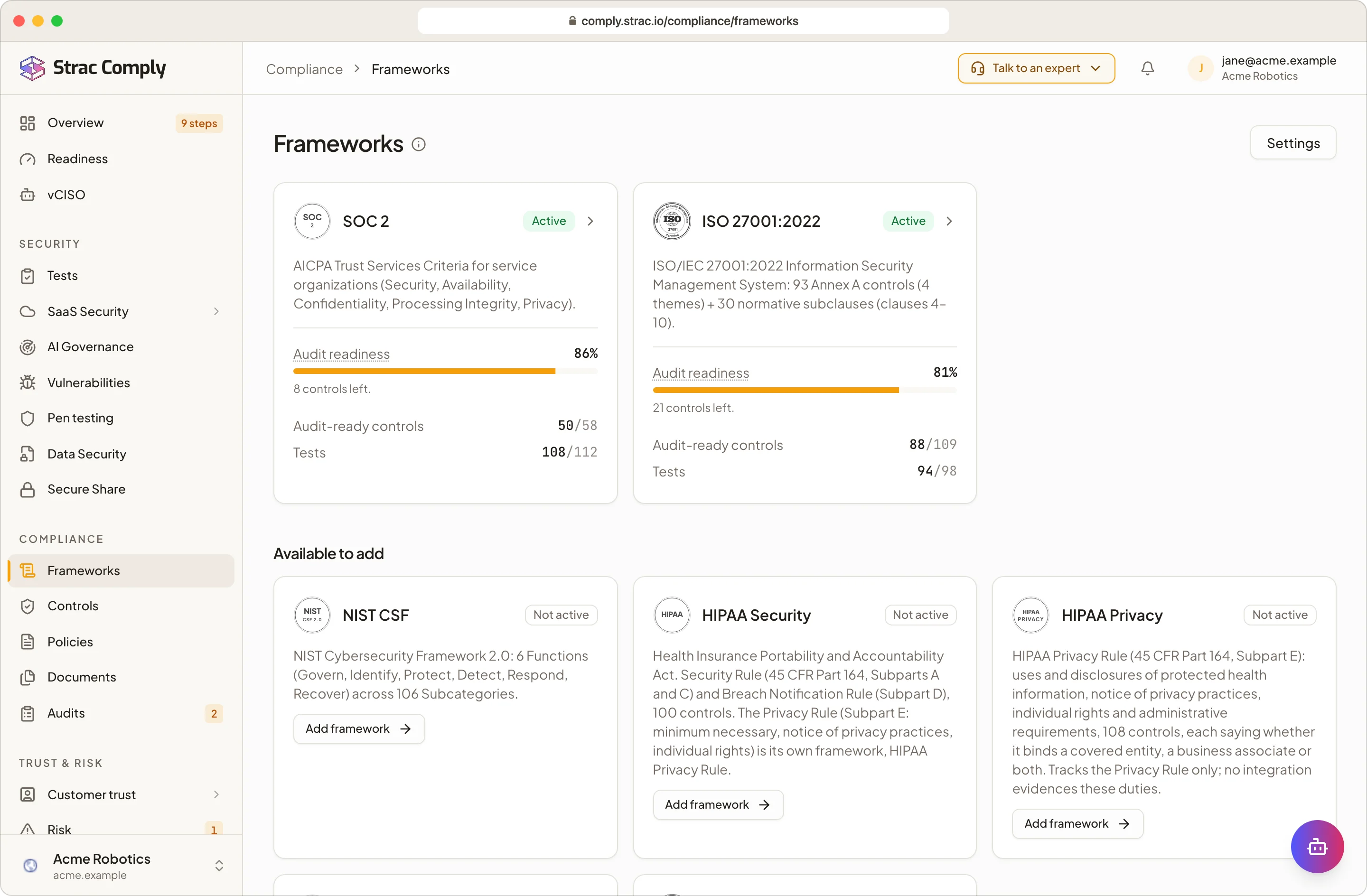
Step 1: Add the HIPAA Privacy Rule
Pick the HIPAA Privacy Rule in the setup wizard, or add it on the Frameworks page. Every control and the evidence it needs load at once.
Admin
Step 2: Answer the scope questions
Set your HIPAA role in Settings and answer the Privacy Rule questions there. Duties that do not bind you drop out.
Admin
Step 3: Approve your policies
AI drafts each policy the HIPAA Privacy Rule needs from your answers. Review and approve each one, then employees accept them by link.
Admin
Step 4: Complete your documents
Open Documents and finish each required document. Strac Comply drafts many of them for you to review.
Admin
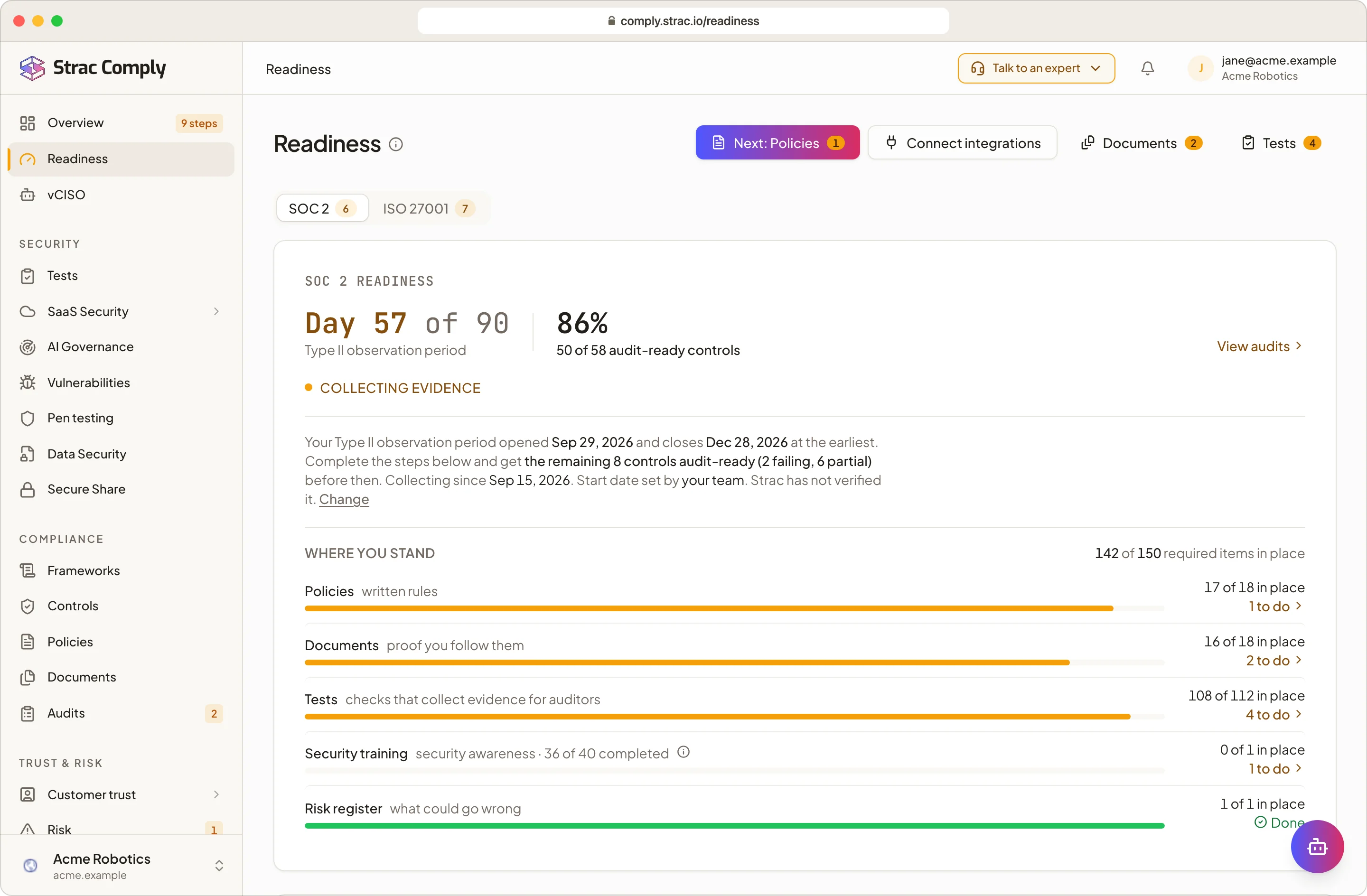
Step 5: Close the gaps
Open Readiness. It lists what is left, in order, until each control is audit-ready.
Auditor
Step 6: Invite your assessor
Create an audit on Audits when an assessor reviews you. They see each duty and its records in one portal.
Frequently asked questions
Who does the Privacy Rule apply to?
Covered entities: health plans, health care clearinghouses and most health care providers. Business associates are bound by the duties in their agreements and some direct duties.
How is it different from the Security Rule?
The Security Rule protects electronic health information with safeguards. The Privacy Rule sets who may use or see health information in any form, and patient rights.
Can an integration test Privacy Rule duties?
No. These duties are about decisions and processes, so you show them with policies, documents and records. Strac Comply drafts the policies and documents for you to review.
What is the minimum necessary standard?
Use, disclose and ask for only the health information needed for the purpose. Some uses, such as treatment, are exempt.
Next steps
- HIPAA with Strac ComplyWhat Strac Comply includes for the HIPAA Privacy Rule, and how to start.
- HIPAA Security RuleSafeguards, breach notification and how Strac Comply evidences them.
- Connect your AI agentAdd the MCP server to your agent and see every tool.
New to Strac Comply? Start free trial.