Integrations and automated tests
Connect the tools you already use. Strac Comply runs 312 automated tests on them every day and maps each result to your controls.
- Automated tests
- 312 across cloud, identity, code, HR and more
- Runs
- Every day, or when you ask
- Counts toward
- SOC 2, ISO 27001, PCI DSS, NIST CSF, HIPAA and CCPA
Last checked November 24, 2026Read as Markdown
How do I check my tests from my AI agent?
Ask your agent about your tests in plain words. It reads the same results you see on the Tests page, with the failing resources and the fix for each.
| MCP tool | Access | What you use it for |
|---|---|---|
| list_integrations | Read | Every connected tool, its status and any permission it is missing. |
| list_tests | Read | Every test with its result, severity, integration and owner. |
| get_test_result | Read | One test in detail: what it found, the failing resources and the evidence. |
| rerun_test | Write | Run a test again after you fix the setting it checks. |
| exclude_from_scope | Write | Take a retired or out-of-scope resource out of every test, with a reason your auditor sees. |
Try these prompts
- Which integrations do I have connected?
- Show me the failing high-severity AWS tests.
- Why did the S3 encryption test fail, and how do I fix it?
- We turned on bucket encryption. Re-run the S3 encryption test.
- Take the old staging bucket out of scope. We shut it down last week.
What your agent gets back. Each test with its status, severity, integration, owner and what it found. A failing test lists the resources that fail. A re-run comes back as a job your agent checks until the new result is in.
Connect your agent first.
How do I connect a tool and see its tests?
Connect each tool once. Its tests start on their own, and each result lands on the controls it proves.
Admin
Step 1: Connect your tools
Open Integrations in the sidebar. Click Connect on a tool, then sign in or paste a read-only key.
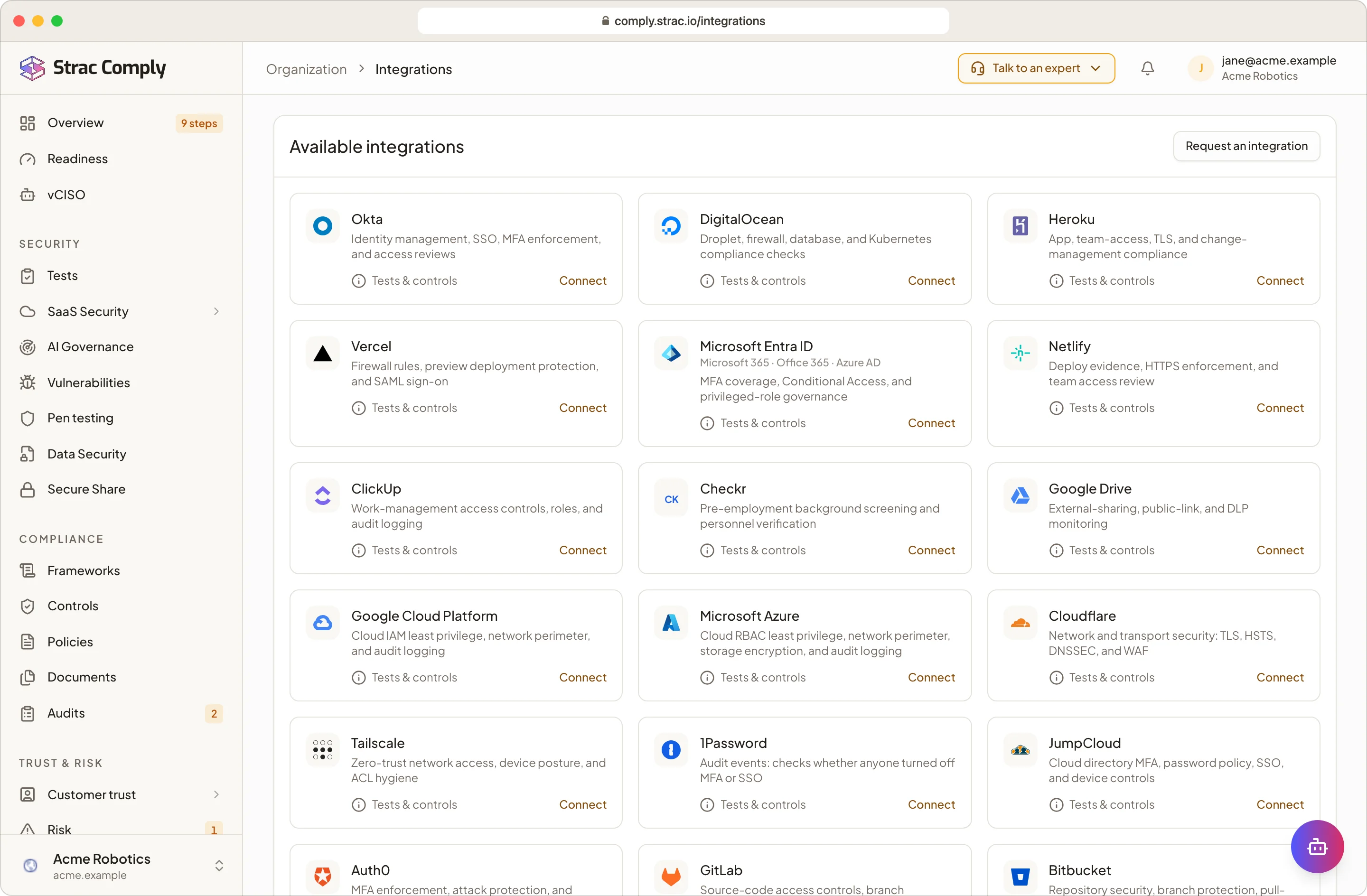
Step 2: Tests run every day
Each connected tool is tested once a day. Open Tests to see every result. Click Run all tests to check now.
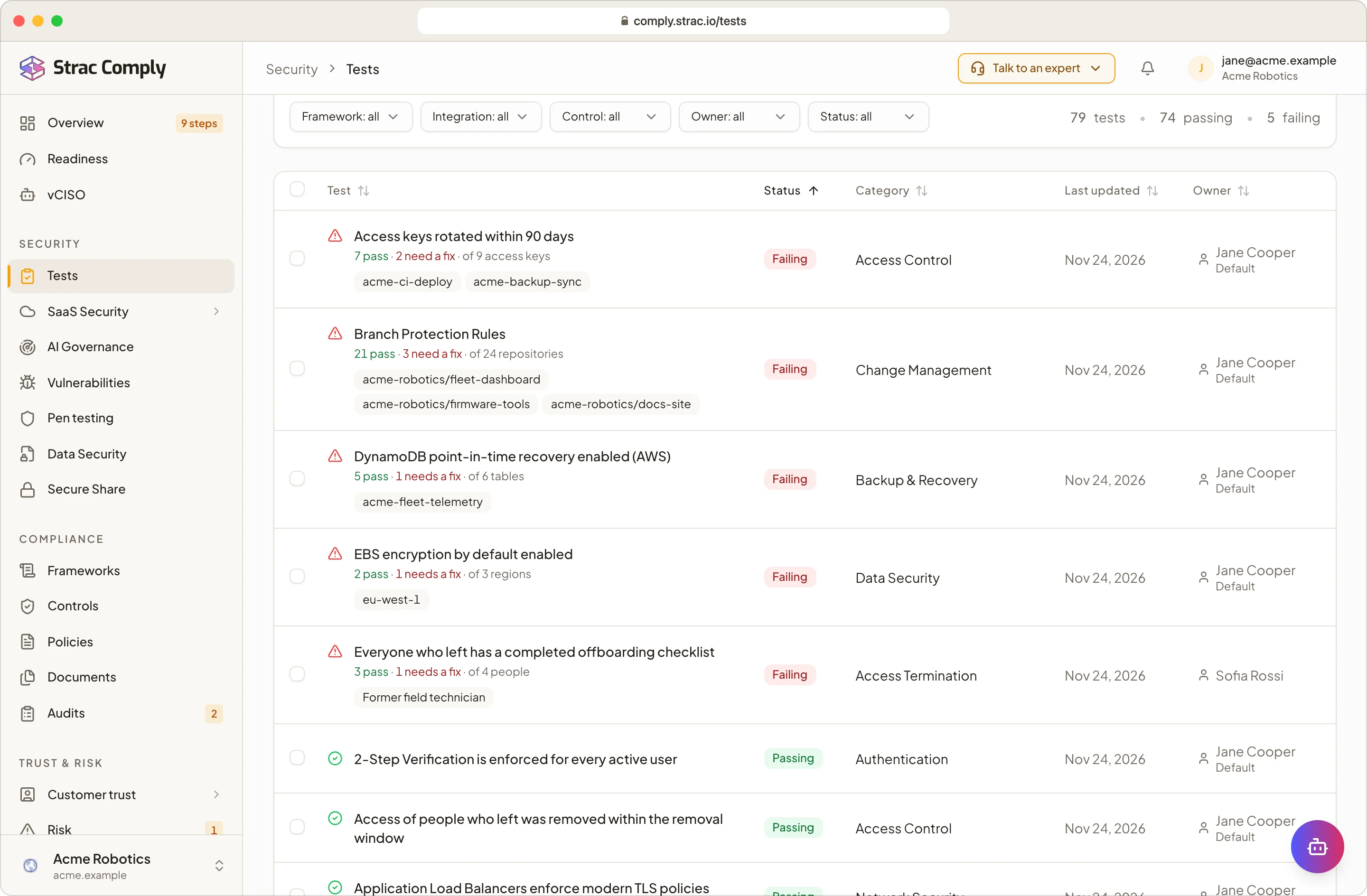
Admin
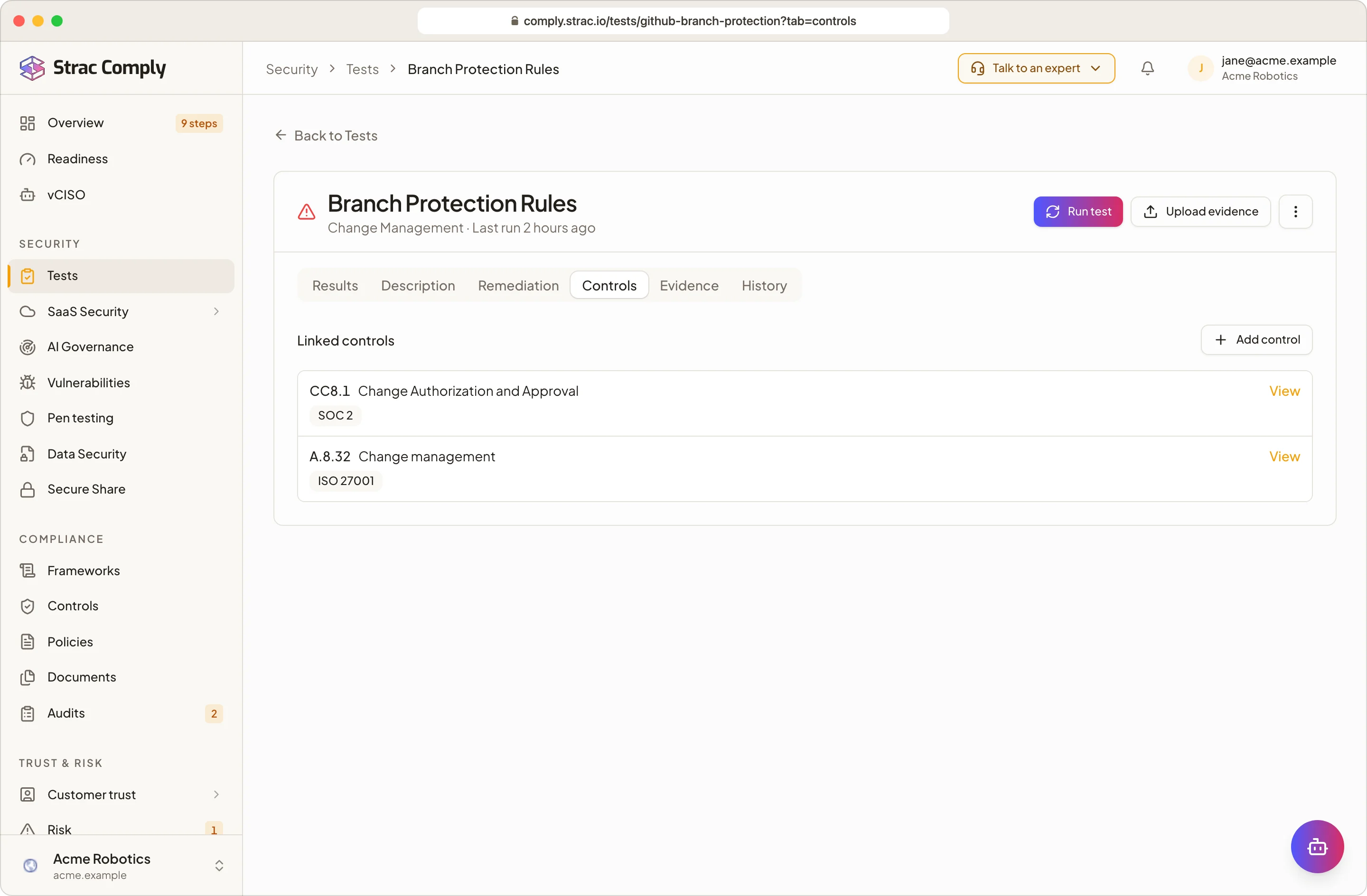
Step 3: Fix what fails
Open a failing test. Remediation shows the fix, and Controls shows what it counts toward. Then click Run test.
A failing resource you cannot fix?
What do the automated tests check?
Each tool runs the tests that fit it. Cloud tests check settings such as encryption and logging. Identity tests check sign-in rules such as MFA. HR tests check that people who left lose access.
| Category | Integrations (tests each) | Tests |
|---|---|---|
| Cloud | AWS (50), Microsoft Azure (16), Google Cloud Platform (14), DigitalOcean (9) | 89 |
| Identity | Google Workspace (17), Microsoft Entra ID (12), Auth0 (9), JumpCloud (8), Okta (6), OneLogin (5) | 57 |
| Development | GitHub (11), GitLab (7), Bitbucket (4), Azure DevOps (3), Expo (2) | 27 |
| Endpoint Security | CrowdStrike (8), Strac Endpoint Agent (6), SentinelOne (5), ThreatLocker (1) | 20 |
| Device Management | Jamf Pro (6), Iru (Kandji) (5), Microsoft Intune (3) | 14 |
| Communication | Zoom (7), Microsoft Teams (3), Slack (2) | 12 |
| Hosting | Heroku (5), Netlify (3), Vercel (3), Render (1) | 12 |
| Database | Supabase (8), Snowflake (3) | 11 |
| HR / Payroll | BambooHR (2), Gusto (2), HiBob (2), Rippling (2), Workday (2) | 10 |
| Storage / Content | Box (5), Microsoft SharePoint (5) | 10 |
| Security / Network | Cloudflare (8) | 8 |
| Observability | Datadog (4), New Relic (2), Grafana (1) | 7 |
| Network | Tailscale (6) | 6 |
| Background Checks | Certn (3), Checkr (2) | 5 |
| Data | MongoDB Atlas (4) | 4 |
| Project Management | Jira (2), ClickUp (1), Linear (1) | 4 |
| CRM | HubSpot (3) | 3 |
| Password Manager | LastPass (2), 1Password (1) | 3 |
| Security | Microsoft Defender XDR (2), Snyk (1) | 3 |
| Documentation | Confluence (2) | 2 |
| E-Signature | DocuSign (2) | 2 |
| Training | KnowBe4 (2) | 2 |
| Data Security | Google Drive (1) | 1 |
| Total | 312 |
A tool you connect counts toward your controls once its tests run. The Strac Endpoint Agent checks run on each computer and report when a setting changes.
The integration catalog lists every tool you can connect, including tools that only feed your people or accounts lists.
Which controls do the tests cover?
Each test counts toward the controls below. Your own list depends on the tools you connect. Open any test and its Controls tab shows its exact controls.
| Framework | Controls |
|---|---|
| SOC 2 |
|
| ISO 27001:2022 |
|
| PCI DSS v4.0.1 |
|
| NIST CSF 2.0 |
|
| HIPAA Security Rule |
|
| CCPA |
|
Codes use each framework's own numbering: SOC 2 Trust Services Criteria, ISO/IEC 27001:2022 Annex A, PCI DSS v4.0.1 and NIST CSF 2.0. HIPAA codes cite the Security Rule. CCPA codes cite the CCPA statute and its regulations.
Frequently asked questions
How often do the tests run?
Once a day for every connected tool. The Strac Endpoint Agent also reports when a setting on a computer changes. Click Run all tests on the Tests page, or Run test on one test, to check now.
I fixed a setting. When does the test pass?
At the next daily run. To see it sooner, re-run the test from its page or ask your AI agent to re-run it.
Can I accept a failing result instead of fixing it?
Yes. Accept the risk for one resource, or ask to waive the test with a reason. A different admin approves the waiver. If you are the only admin, you approve it.
What if a failing resource is retired or out of scope?
Use Exclude from scope and give the reason. The resource leaves every test, and your auditor sees what you excluded and why.
Can I give each test an owner?
Yes. An owner or admin sets the owner of each test on the Tests page, or from an AI agent with assign_test_owner.
Do the tests change anything in my tools?
No. Tests read settings with the access you grant. Each failing test shows the steps to fix it in your own tool.
Next steps
- Strac Endpoint AgentTest every work computer the same way, with its own checks.
- Connect your AI agentAdd the Strac Comply MCP server and see every tool.
- All guidesSet up the rest of Strac Comply, one feature at a time.
New to Strac Comply? Start free trial.