HIPAA Security Rule requirements and evidence
The HIPAA Security Rule asks you to protect electronic health information with administrative, physical and technical safeguards. This guide also covers the Breach Notification Rule.
- Controls tracked
- 100
- Automated tests cover
- 18 of 100 controls, from 50 integrations
- Evidence types
- Automated tests, policies, documents, security training, risk register, addressable determinations
Last checked November 24, 2026Read as Markdown
What does the HIPAA Security Rule ask for?
The Security Rule is in 45 CFR Part 164, Subpart C. The Breach Notification Rule is Subpart D, and Strac Comply tracks both together.
Some implementation specifications are required. Others are addressable: you assess each one and record what you decided.
| Requirement | Controls | Strac Comply features (controls) | Evidence comes from |
|---|---|---|---|
| §164.105, §164.306 General rules and organizational requirements | 5 | Policies (5), Documents (5) | Your policies, documents and records |
| §164.308 Administrative safeguards | 31 | Automated tests (11), Policies (31), Documents (31), Policy acceptance (1), Security training (5), Risk register (3), Addressable determinations (11), Endpoint Agent | Google Workspace, AWS, CrowdStrike and 28 more |
| §164.310 Physical safeguards | 12 | Policies (12), Documents (12), Addressable determinations (6) | Your policies, documents and records |
| §164.312 Technical safeguards | 12 | Automated tests (7), Policies (12), Documents (12), Addressable determinations (5), Endpoint Agent | AWS, Microsoft Azure, Microsoft Entra ID and 34 more |
| §164.314 Organizational requirements | 9 | Policies (9), Documents (9) | Your policies, documents and records |
| §164.316 Policies, procedures and documentation | 5 | Policies (5), Documents (5) | Your policies, documents and records |
| §164.400 to §164.414 Breach notification | 26 | Policies (26), Documents (26) | Your policies, documents and records |
| Total | 100 |
The number beside a feature is how many controls it evidences. One control often has several kinds of evidence. The counts come from the same mapping your Controls page uses.
Here is what your auditor sees for each kind of evidence:
- Automated tests: daily results of the tests your integrations run, with each failing resource named.
- Policies: approved policies with their version and review dates.
- Documents: required documents, plans and records, each with its approved version.
- Policy acceptance: the record of each employee who accepted a policy, and when.
- Security training: who completed security training, and when.
- Risk register: the approved risk register and its dated snapshots.
- Addressable determinations: the decision recorded for each addressable specification.
How do I track the HIPAA Security Rule from my AI agent?
Ask your agent about the HIPAA Security Rule in plain words. It reads the same readiness, controls and evidence you see in the dashboard.
| MCP tool | Access | What you use it for |
|---|---|---|
| get_compliance_status | Read | Your readiness for the HIPAA Security Rule, with the count of audit-ready controls. |
| list_controls | Read | Every control in the HIPAA Security Rule, with its completion and gaps. Its framework id is hipaa. |
| get_control | Read | One control with the evidence behind it and what is still missing. |
| get_next_actions | Read | Your next tasks for the HIPAA Security Rule, in order. |
| list_policies | Read | Your HIPAA policies with their status and review dates. |
Try these prompts
- What's our HIPAA Security Rule readiness?
- Which technical safeguards still have gaps?
- Show me control 164.312(a)(2)(iv) and its evidence.
- Which HIPAA policies are waiting for approval?
What your agent gets back. Live answers from your workspace: your readiness, each control with its completion and gaps, the evidence behind a control, and your next tasks in order.
Connect your agent first.
How do I get audit-ready for the HIPAA Security Rule?
Follow these steps in order. Each one moves controls toward audit-ready on your Frameworks page.
Admin
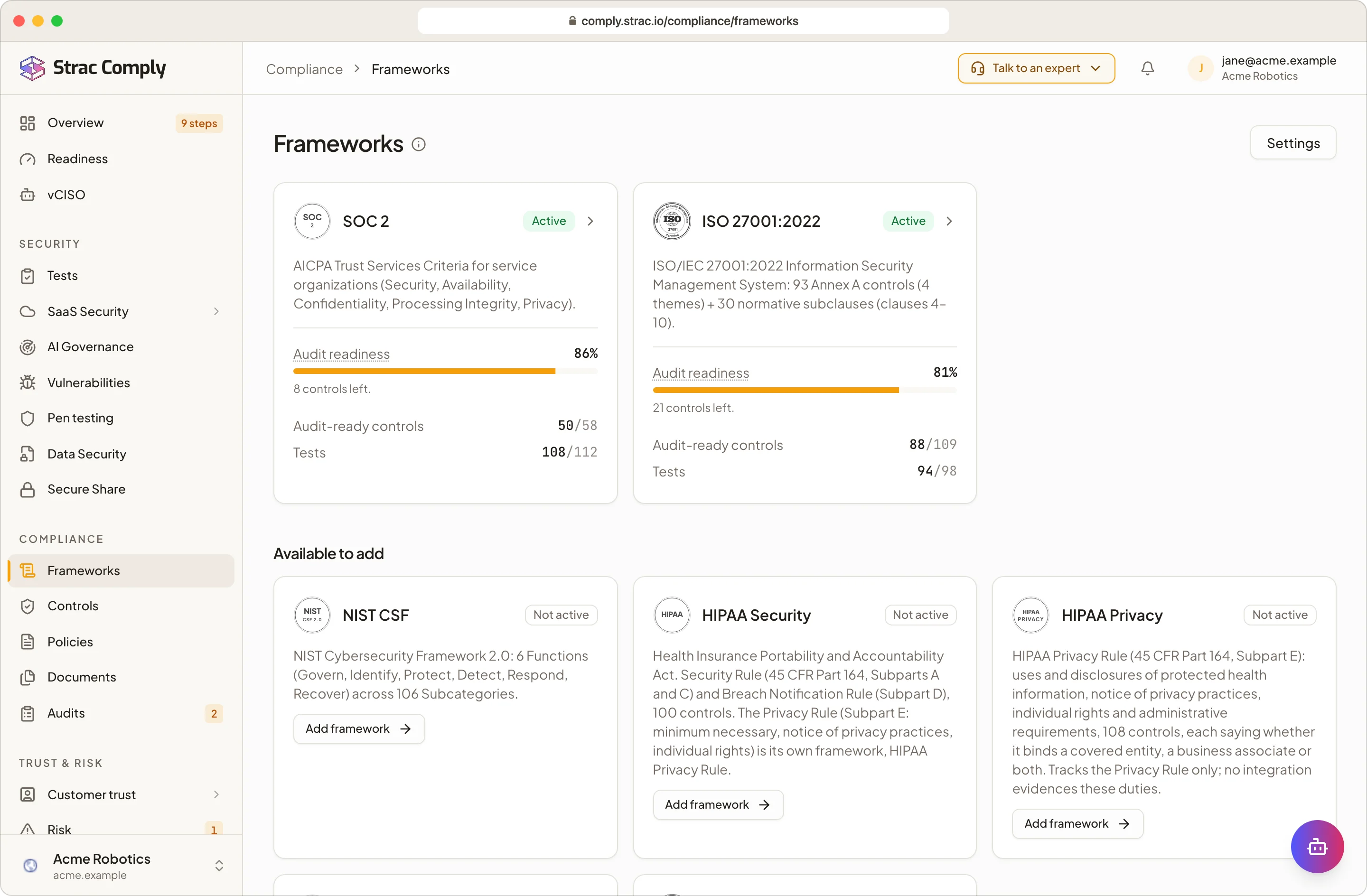
Step 1: Add the HIPAA Security Rule
Pick the HIPAA Security Rule in the setup wizard, or add it on the Frameworks page. Every control and the evidence it needs load at once.
Admin
Step 2: Set your HIPAA role
Say whether you are a covered entity, a business associate or both. Controls that do not bind your role drop out.
Admin
Step 3: Connect your systems
Connect your cloud, identity provider and code host on Integrations. Automated tests then run every day and attach results to your controls.
Admin
Step 4: Approve your policies
AI drafts each policy the HIPAA Security Rule needs from your answers. Review and approve each one, then employees accept them by link.
Admin
Step 5: Complete your documents
Open Documents and finish each required document. Strac Comply drafts many of them for you to review.
Admin
Step 6: Record your determinations
Open the addressable determinations document in Documents. Record each decision: implemented, an alternative, or not reasonable with a reason.
Admin
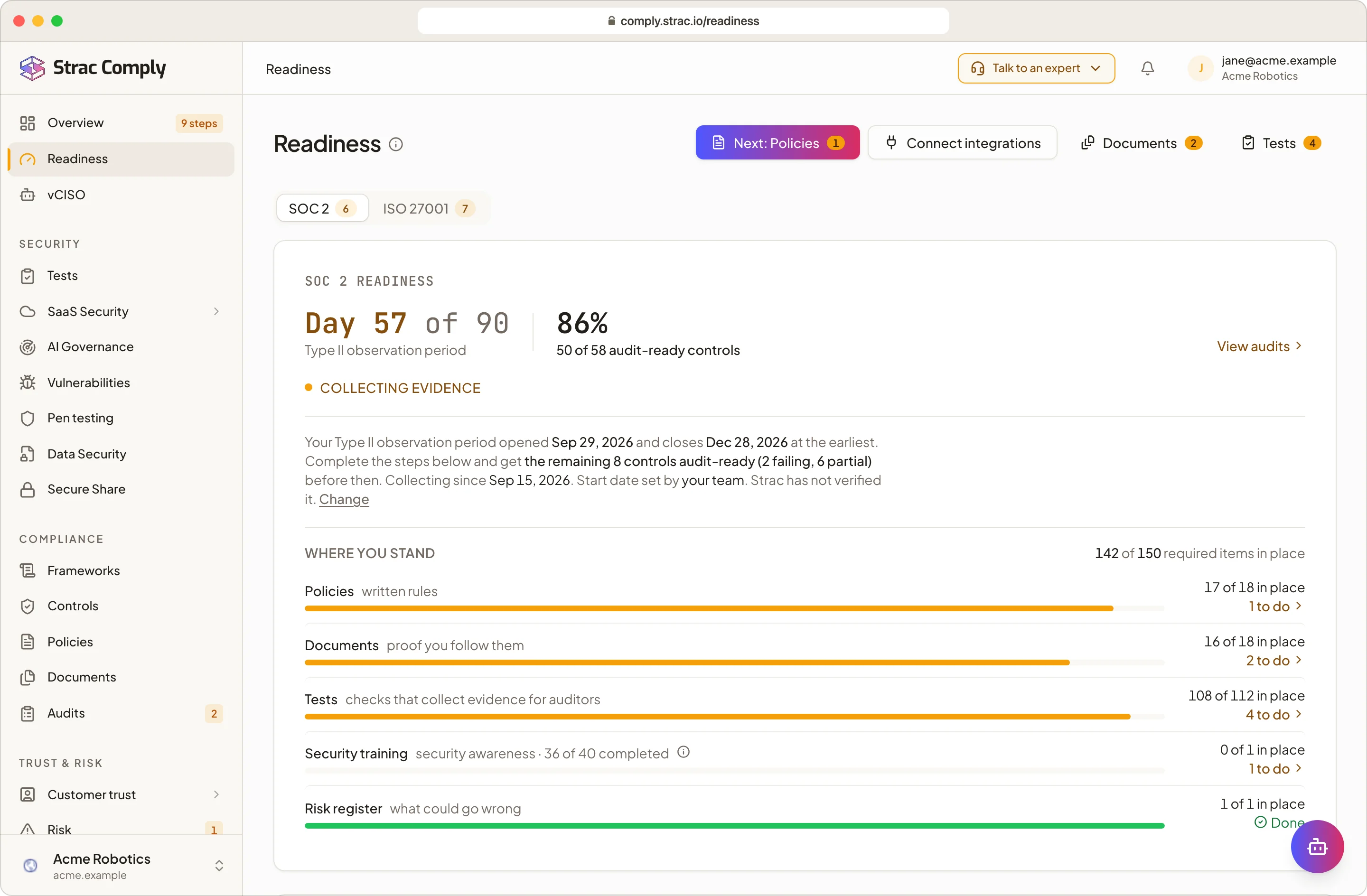
Step 7: Close the gaps
Open Readiness. It lists what is left, in order, until each control is audit-ready.
Auditor
Step 8: Invite your assessor
Create an audit on Audits when an assessor reviews you. They see every safeguard and its evidence in one portal.
Frequently asked questions
Is there a HIPAA certification?
No. HHS does not certify anyone for HIPAA. You show compliance with a current risk analysis, policies, safeguards and records, and an outside assessment can confirm it.
What is an addressable specification?
It is a specification you must assess. Implement it if it is reasonable for you. If not, record why and use an equal alternative where reasonable. Strac Comply keeps each decision as evidence.
Does this guide cover the Privacy Rule?
No. The Privacy Rule is its own framework in Strac Comply. Read the HIPAA Privacy Rule guide.
How does Strac Comply help with breach notification?
The breach log records each incident, the risk assessment and the notice deadlines. A breach of unsecured health information needs notice without unreasonable delay, and no later than 60 days after discovery.
Do I need a business associate agreement?
Yes, with every vendor that handles health information for you. Track each agreement in Strac Comply and keep the signed copy as evidence.
Next steps
- HIPAA with Strac ComplyWhat Strac Comply includes for the HIPAA Security Rule, and how to start.
- HIPAA Privacy RuleUses and disclosures, the notice and individual rights.
- Strac Endpoint AgentCheck every work computer and use the results as evidence.
- Connect your AI agentAdd the MCP server to your agent and see every tool.
New to Strac Comply? Start free trial.