How Strac Comply works
Strac Comply turns the frameworks you pick into controls, and each control into the evidence an auditor asks for. Tests, policies and documents fill in that evidence, and Readiness shows what is left.
- Frameworks
- SOC 2, ISO 27001, NIST CSF 2.0, HIPAA Security Rule, HIPAA Privacy Rule, PCI DSS 4.0.1 and CCPA
- Tests run
- Every day, on each connected integration
- Use it from
- Your AI agent over MCP, or the dashboard
Last checked November 25, 2026Read as Markdown
How do I ask my AI agent where we stand?
Connect your agent once, then ask in plain words. It reads your frameworks, controls and evidence from your workspace.
| MCP tool | Access | What you use it for |
|---|---|---|
| list_frameworks | Read | The frameworks turned on for your company. |
| get_compliance_status | Read | Your readiness for each framework: audit-ready controls out of the controls that apply. |
| list_controls | Read | Every control with its completion and what it still needs. |
| list_integrations | Read | The integrations you have connected. |
| ask_compliance_question | Read | Any compliance question in plain words, answered from your own evidence. |
Try these prompts
- What's our audit readiness for each framework?
- Which controls have no evidence yet?
- Which integrations do we have connected?
- Explain how a SOC 2 control becomes audit-ready.
What your agent gets back. Live answers from your workspace: readiness per framework, each control with its gaps, and your connected integrations.
Connect your agent first.
How does it work in the dashboard?
Every part of Strac Comply feeds one chain: framework, control, evidence, audit. These steps follow it.
Admin
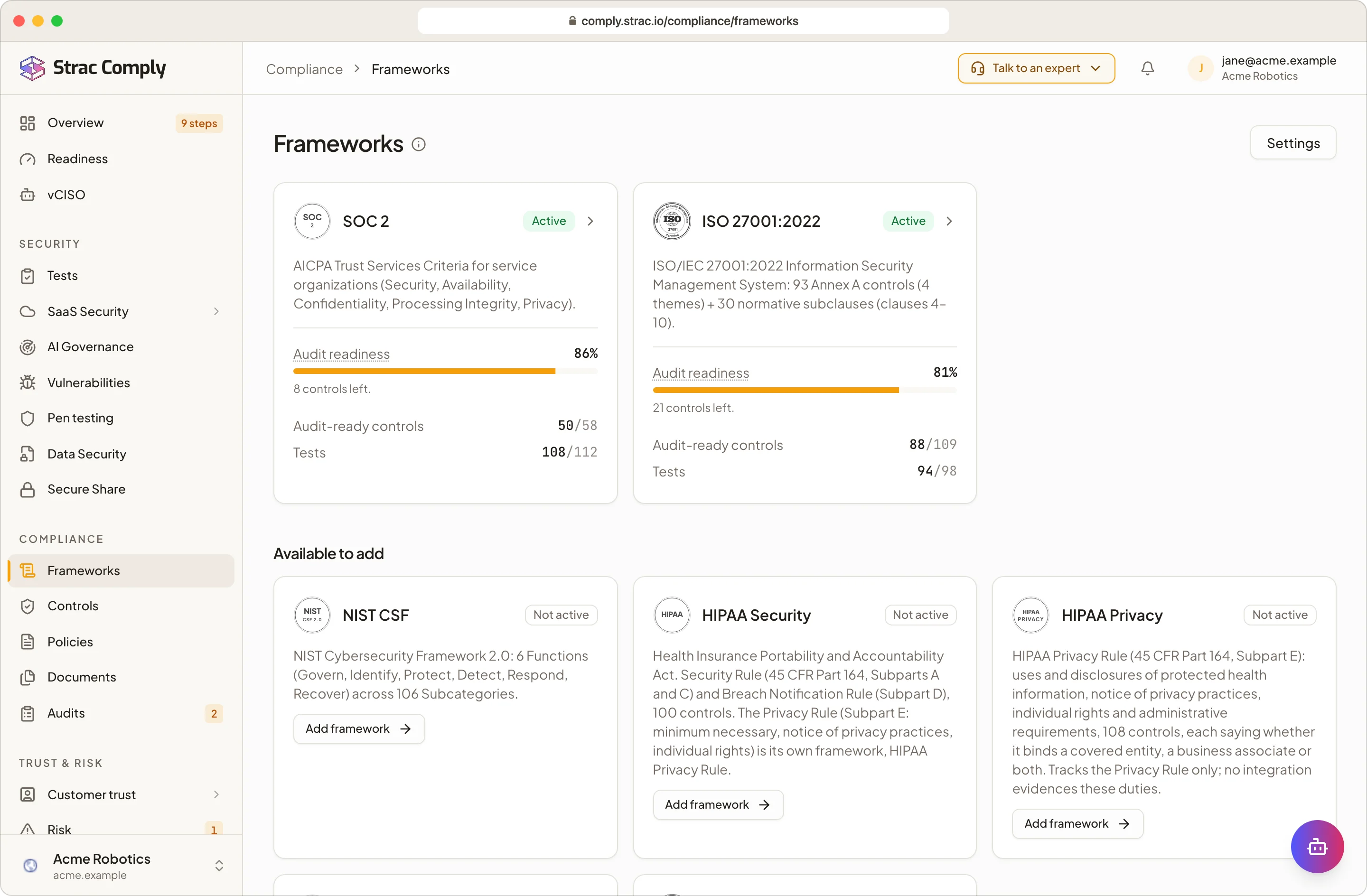
Step 1: Add your frameworks
Open Frameworks and choose Add framework. Each framework brings its own controls.
Admin
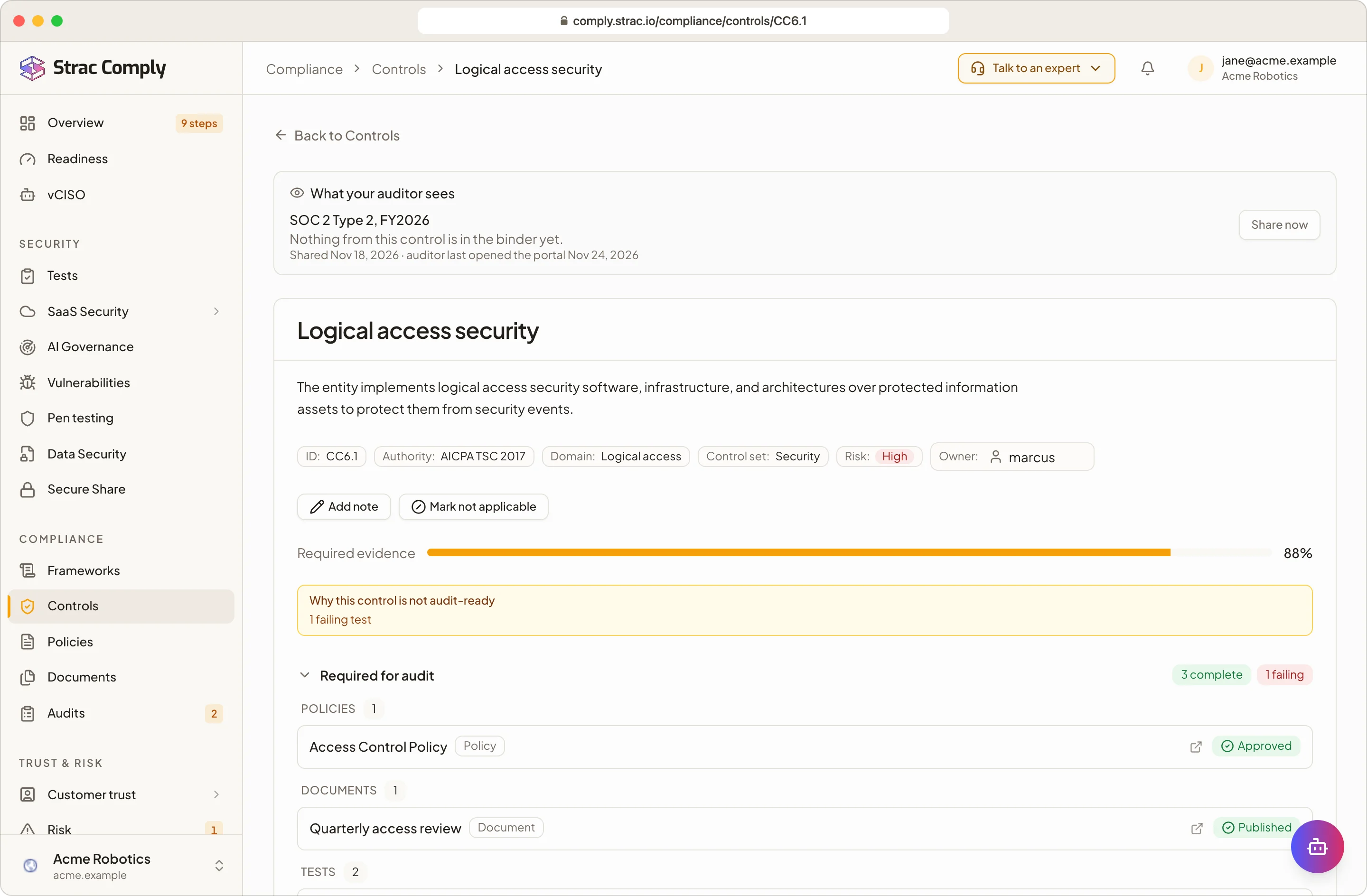
Step 2: See what each control needs
Open Controls. Each control lists the evidence it still needs and who owns it.
Admin
Step 3: Connect your tools
Open Integrations and connect your cloud, identity and code tools. Strac Comply tests their settings every day.
Admin
Step 4: Write policies and documents
Open Policies and Documents. Strac Comply drafts many of them for you to review and approve.
Employee
Step 5: Bring your team in
Employees accept policies and finish training from emailed links. They need no account.
Admin
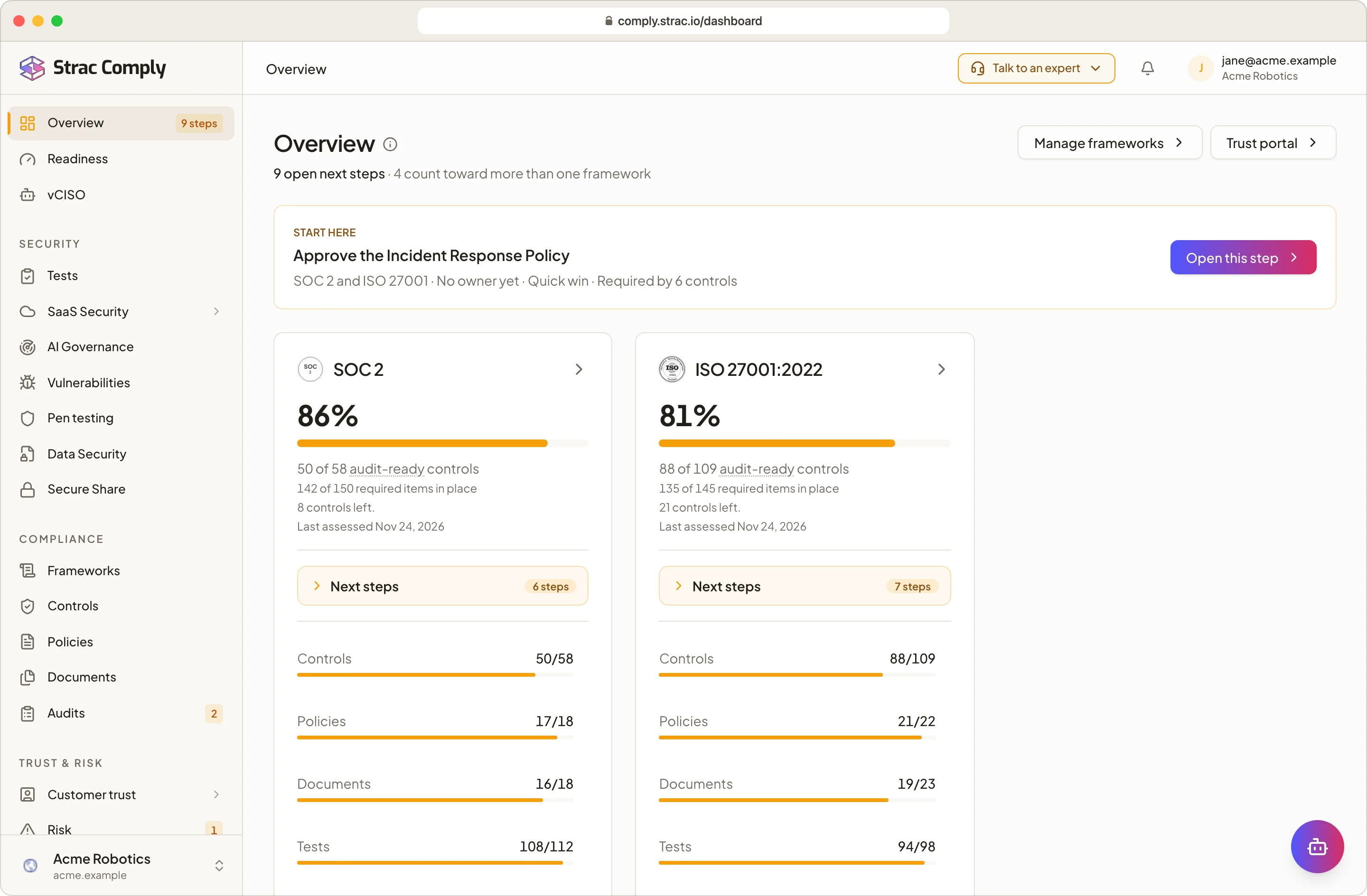
Step 6: Track what is left
Open Readiness. It lists every open step until each control is audit-ready.
Auditor
Step 7: Invite your auditor
Create an audit on Audits and invite your auditor. They review your evidence in their own portal.
What counts as evidence?
A control is audit-ready when all its evidence is complete and current. Evidence comes in these kinds:
- Policies: approved documents that say what you do.
- Documents: published records that show you do it, such as an incident log.
- Tests: daily checks on your connected tools that collect evidence for auditors.
- Employee acknowledgments: met when 80% of active employees accept the current version of a policy.
- Security training: completed by your people.
- Risk register: approved by management.
- Vendors: your vendors and their reviews.
- Addressable determinations: HIPAA only, one recorded decision for each addressable specification.
A control that does not apply to you can be marked not applicable, with a reason your auditor sees. It then leaves your score.
Where is everything in the app?
| In the sidebar | What you find there |
|---|---|
| Readiness | What is left before your audit, in order. |
| Frameworks and Controls | Each framework, its controls and the evidence behind them. |
| Tests and Integrations | Your connected tools and the daily checks on them. |
| Policies and Documents | Drafts to review, approved policies and published records. |
| Personnel | Your people and their computers. |
| Audits | Your audits and the auditors you invited. |
| Customer trust | Your public trust portal and security questionnaires. |
| vCISO | An assistant that answers from your own evidence. |
Frequently asked questions
Do I need an AI agent to use Strac Comply?
No. Everything works in the dashboard. An AI agent over MCP is a second way in, with the same data.
How often does Strac Comply check my tools?
Every connected integration is tested every 24 hours by default. Each result counts as evidence on the controls its test maps to.
Can one piece of evidence count for several frameworks?
Yes. Where the controls match, one passing test or approved policy counts in each framework you add.
Does Strac Comply replace my auditor?
No. A licensed auditor still audits you and issues the report. Strac Comply gets you ready and gives your auditor one place to review the evidence.
How does my auditor get access?
They create an auditor account from your invite, with an emailed code and a password. They see only the audits you invite them to. They never get a Strac Comply workspace.
Next steps
- Your first hour: the setup wizardEach of the ten setup steps, and which ones you can skip.
- Readiness: what's left before your auditHow the score works and how to work through the list.
- Roles: who does whatOwners, admins, members, viewers, employees and auditors.
- SOC 2 requirements and evidenceEach Trust Services Criteria series and how Strac Comply evidences it.
- Connect your AI agentAdd the MCP server to your agent and see every tool.
New to Strac Comply? Start free trial.