Your first hour: the setup wizard
The setup wizard takes you from sign-up to collecting evidence in ten steps. Only the first two are required, and you can come back to the rest.
- Steps
- 10
- Required
- Company and Frameworks
- Ends on
- Readiness, which lists what is still open
Last checked November 25, 2026Read as Markdown
Can my AI agent help with setup?
Yes. After you pick your frameworks, your agent can tell you what to do next and start a connection for you.
| MCP tool | Access | What you use it for |
|---|---|---|
| get_next_actions | Read | Your next steps for each framework, in order, with the controls each one unblocks. |
| connect_integration | Read | A link you open in your browser to connect Google Workspace, AWS or Slack. |
| get_connection_status | Read | Whether that connection has finished. |
| list_integrations | Read | The integrations you have connected. |
| list_policies | Read | Your policies, with the drafts still waiting for approval. |
Try these prompts
- What should I do next to get audit-ready?
- Connect our Google Workspace.
- Did the Google Workspace connection finish?
- Which policies are still drafts?
What your agent gets back. Your next steps in order, a link to finish each connection in your browser, and the state of each connection.
Connect your agent first.
What happens in each step of the setup wizard?
The wizard opens when your workspace is new. An owner or admin should run it, because some steps write and approve policies.
Admin
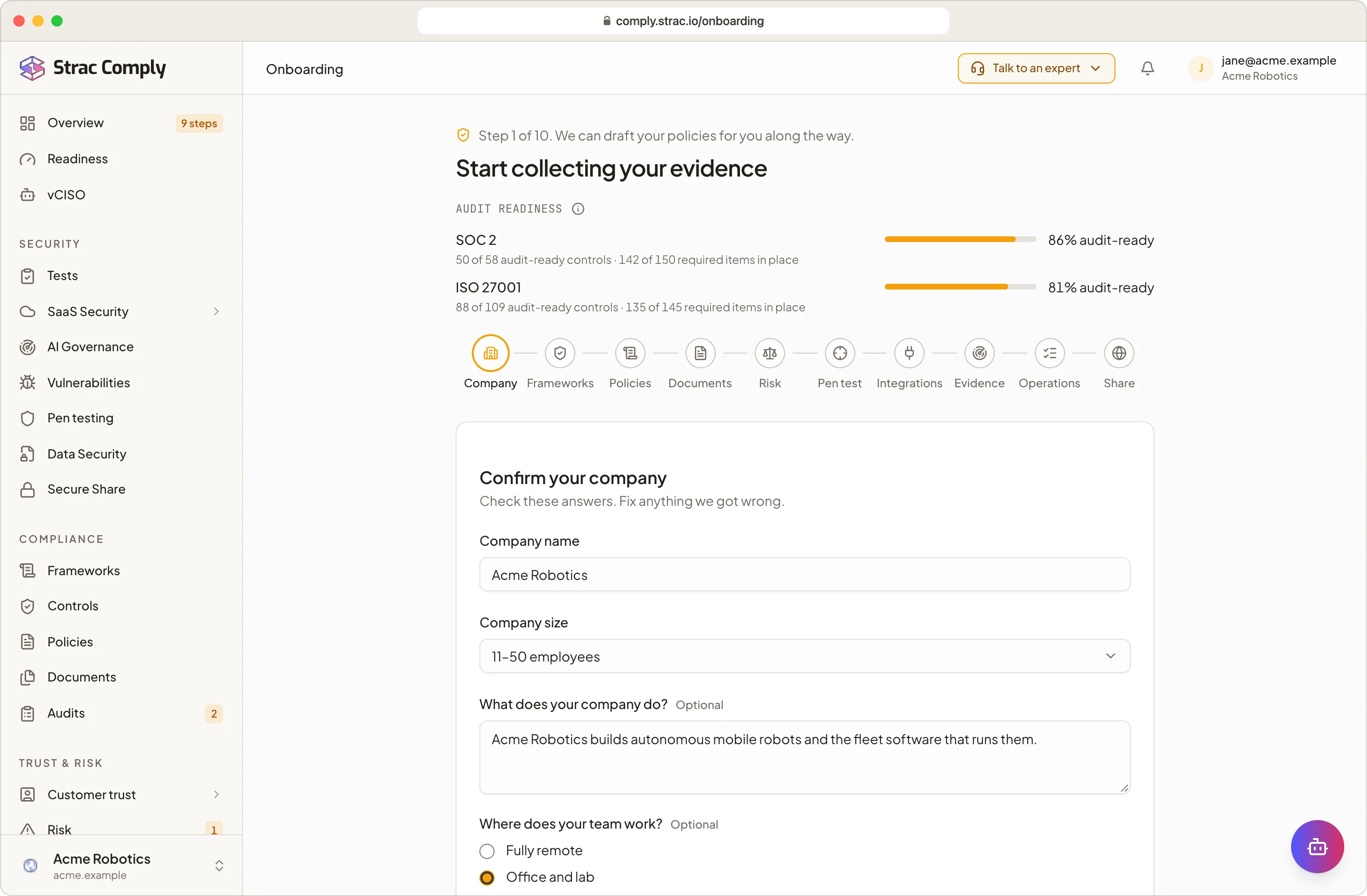
Step 1: Company
Confirm your company name, size and what you do. Strac Comply fills blank fields from your work email domain.
Admin
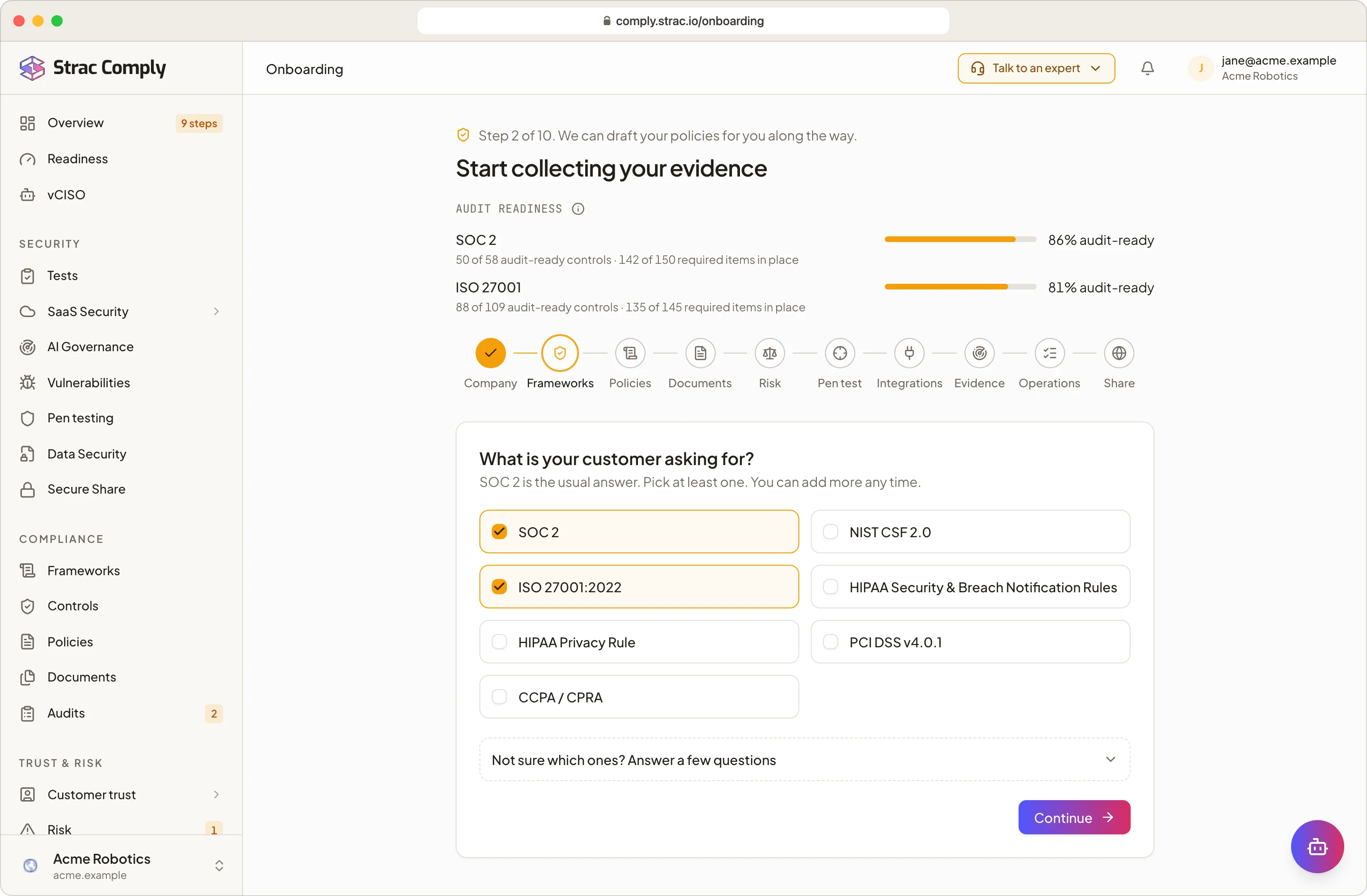
Step 2: Frameworks
Pick at least one framework. SOC 2 is the usual answer, and you can add more any time.
Admin
Step 3: Policies
Choose Write them for me and answer a few questions, or upload your own. One draft on file finishes this step.
Admin
Step 4: Documents
Let Strac Comply draft your evidence documents, or upload yours. A document counts once you publish it.
Admin
Step 5: Risk
Choose Build my risk register. Approving it is management's sign-off, filed as your risk register document.
Admin
Step 6: Pen test
Scope a pen test for your domain, or upload a report you already have.
Admin
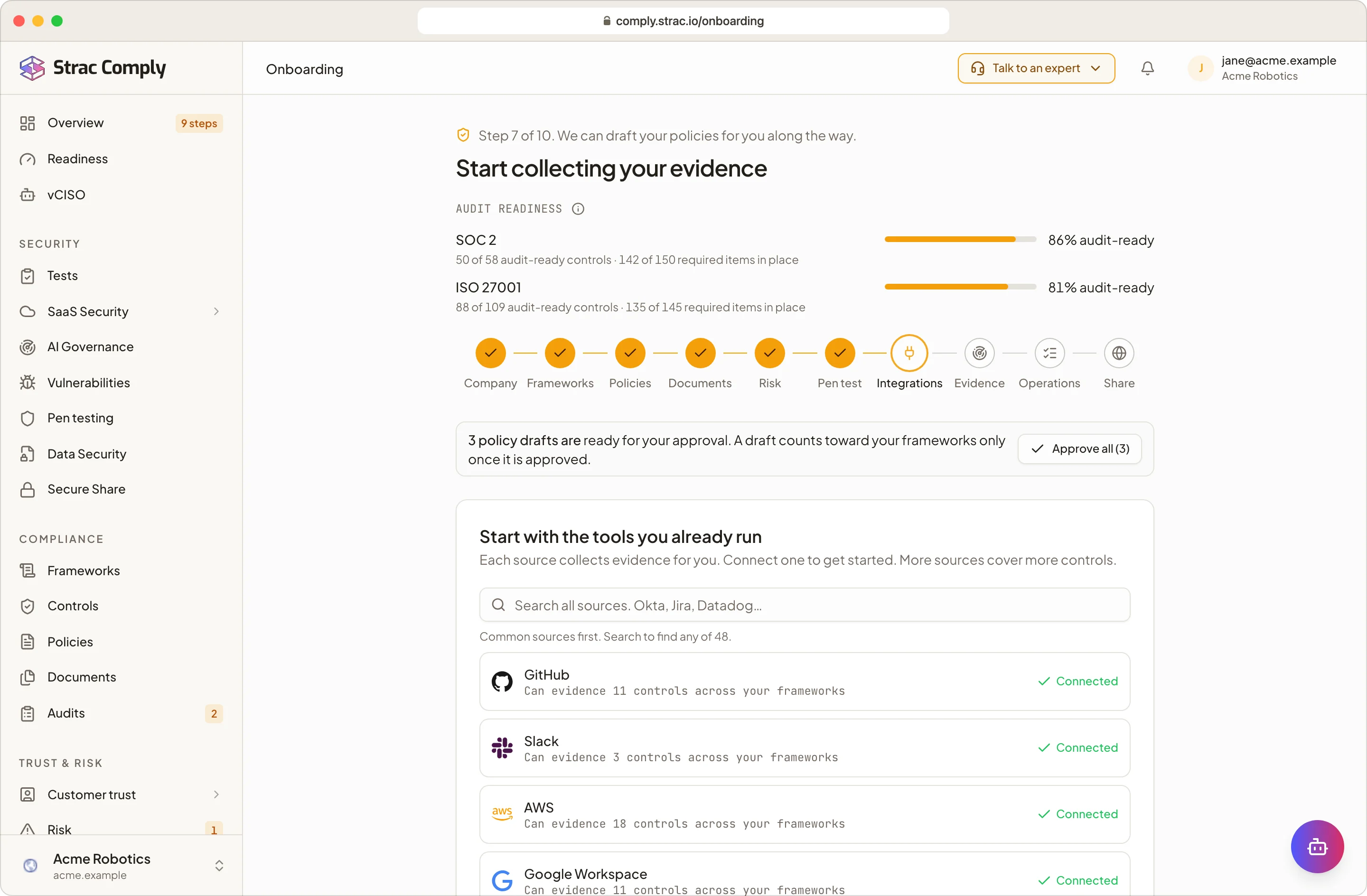
Step 7: Integrations
Connect at least one tool, such as your identity provider or cloud. Each one collects evidence for you.
Admin
Step 8: Evidence
See what your connected tools collected in the first scan.
Admin
Step 9: Operations
Record your incident log and start training and acknowledgments. People take days to finish them, so start now.
Admin
Step 10: Share
Choose a link and a contact email, then publish your trust portal. Or skip it for now.
Can I skip a step and come back?
Yes. Steps 3 to 10 can be skipped. Most have Skip for now, and Evidence has Continue to operations. Company and Frameworks cannot be skipped.
Click any step in the stepper to go back to it. Until you finish, a bar at the top shows Setup N of 10 with Resume setup and Hide setup.
If you hide the bar, open the account menu and choose Resume setup to bring it back.
What happens when I finish?
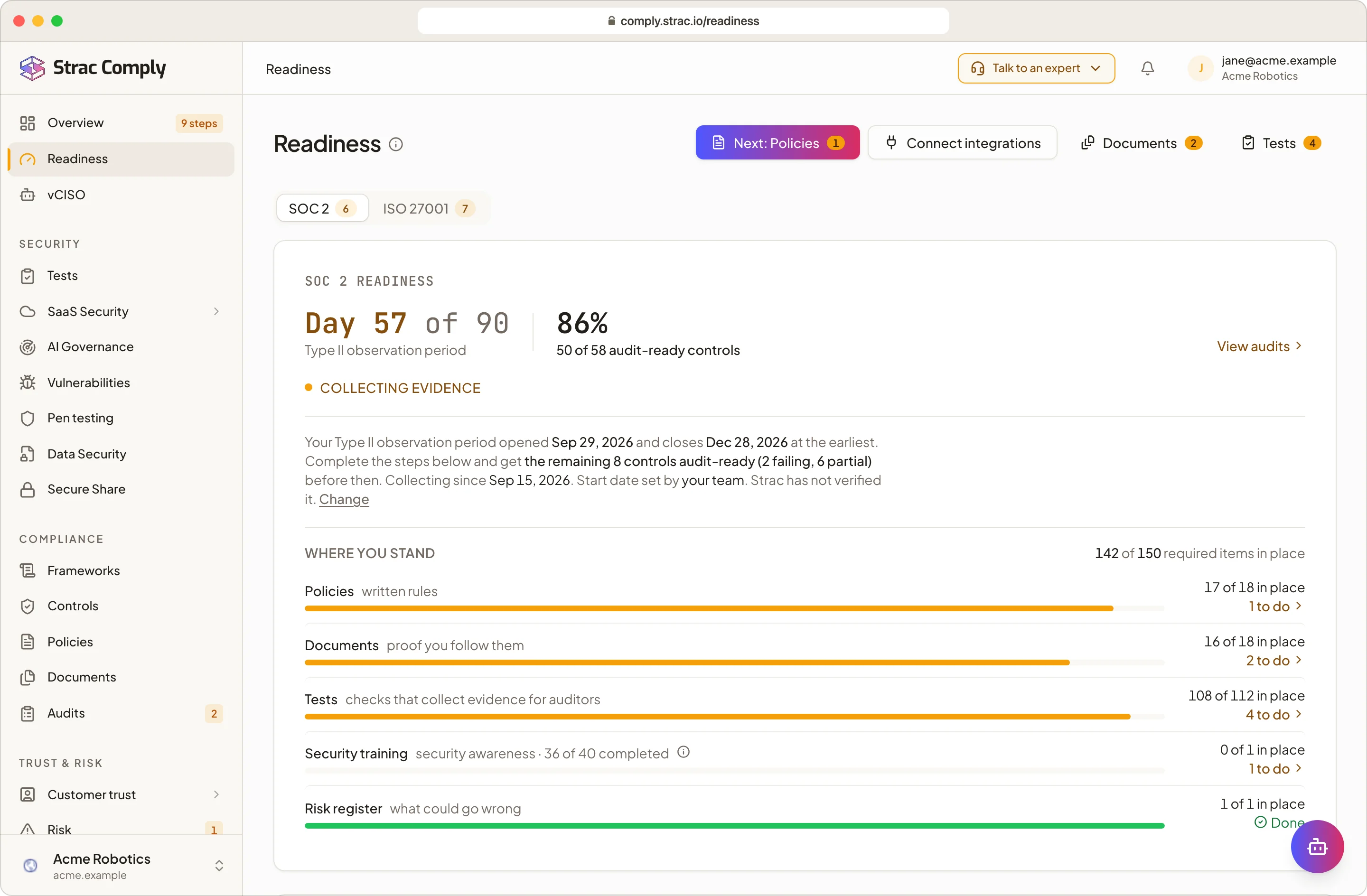
You land on Readiness. It lists every step still open for each framework, in order. The Overview shows your readiness for each framework at a glance.
Frequently asked questions
Do I have to finish setup in one sitting?
No. Leave at any time and come back with Resume setup in the account menu.
Who should run the setup wizard?
An owner or admin. Only an owner or admin can generate policies, so the Policies step needs one of them.
Can I change my frameworks later?
Yes. Open Frameworks and choose Add framework. Evidence you already have counts where the controls match.
What if my whole team works remotely?
Answer Where does your team work? on the Company step. If you are fully remote, physical security controls are marked not applicable. You can undo that on Operations.
Do I need to connect an integration during setup?
No, you can skip the step. Tests only collect evidence from the tools you connect, so connect one soon.
Next steps
- Readiness: what's left before your auditHow the score works and how to work through the list.
- How Strac Comply worksFrameworks, controls, evidence and audits, and how they fit together.
- Roles: who does whatOwners, admins, members, viewers, employees and auditors.
- Connect your AI agentAdd the MCP server to your agent and see every tool.
New to Strac Comply? Start free trial.