AI vCISO
The AI vCISO answers your compliance questions from your own data. It drafts the policies and documents you still need, and it asks before it publishes a policy.
- Where
- The vCISO page, the chat button on other pages, and Slack
- Reads
- Your controls, tests, policies, documents, vendors, risks and people
- Plans
- Every plan, and the free trial
Last checked November 27, 2026
How do I ask compliance questions from my AI agent?
Your own agent can ask Strac Comply questions over MCP. It gets answers from your readiness, your test and policy counts and your integrations.
| MCP tool | Access | What you use it for |
|---|---|---|
| ask_compliance_question | Read | Ask a compliance question in plain words. The answer uses your readiness, your test and policy counts and your integrations. |
| get_compliance_status | Read | Your readiness for each framework. |
| get_next_actions | Read | The evidence steps to audit-ready, in order, with the controls each step unblocks. |
| get_control | Read | One control with its framework mappings, completion and evidence counts. |
Try these prompts
- Am I ready for my SOC 2 audit?
- What are my top compliance gaps right now?
- What does ISO 27001 A.8.8 ask for, and do we have it?
- How many of my tests are failing?
- What should I fix first this week?
What your agent gets back. A plain answer with numbers from your workspace, such as how many controls are audit-ready and how many tests fail, and what to do next.
First time? Connect your agent once, then ask.
How do I use the vCISO in the dashboard?
Open vCISO in the sidebar. You can also click the chat button in the corner of other pages.
Admin
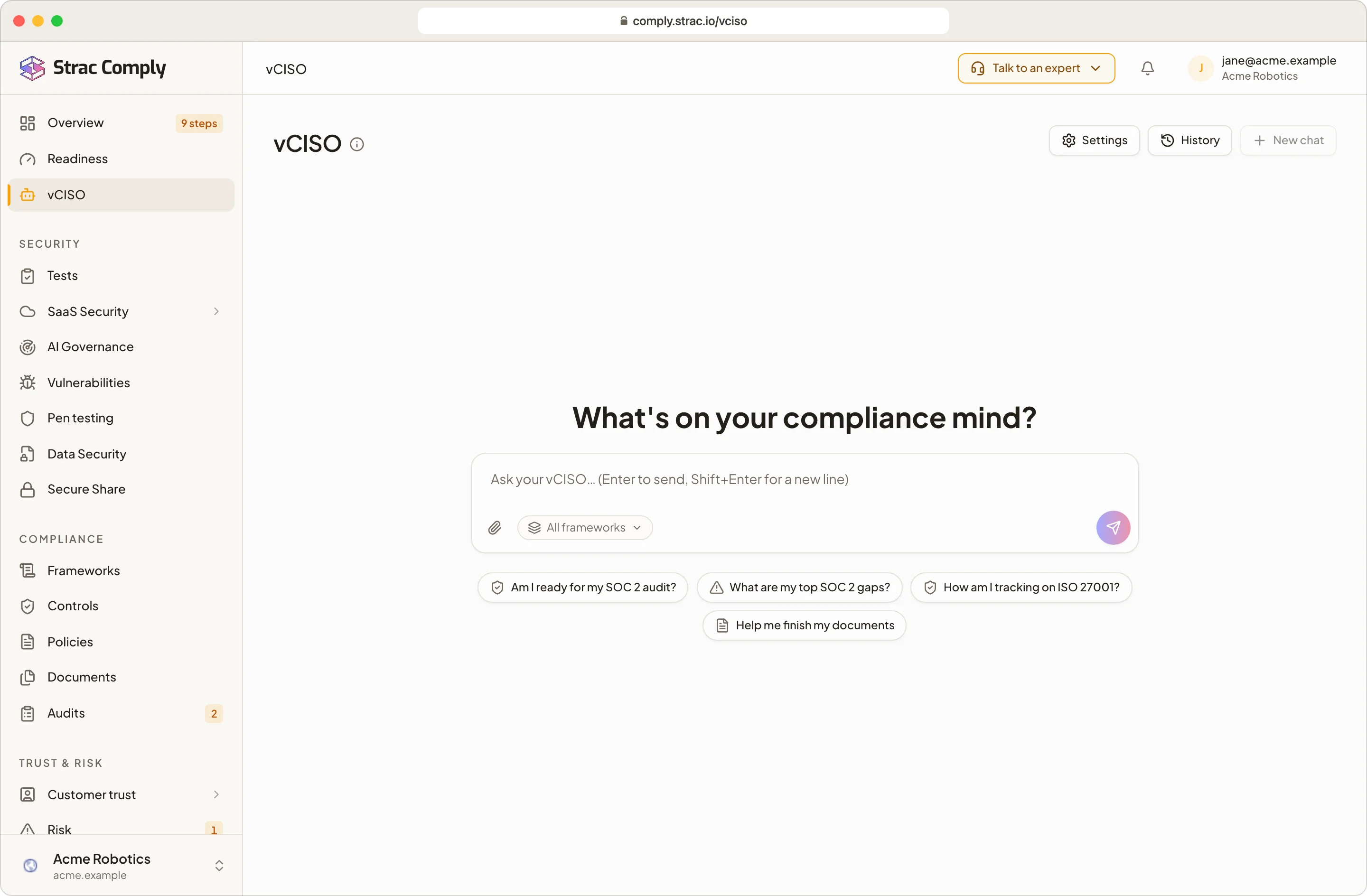
Step 1: Ask a question
Pick a suggested question or type your own.
Admin
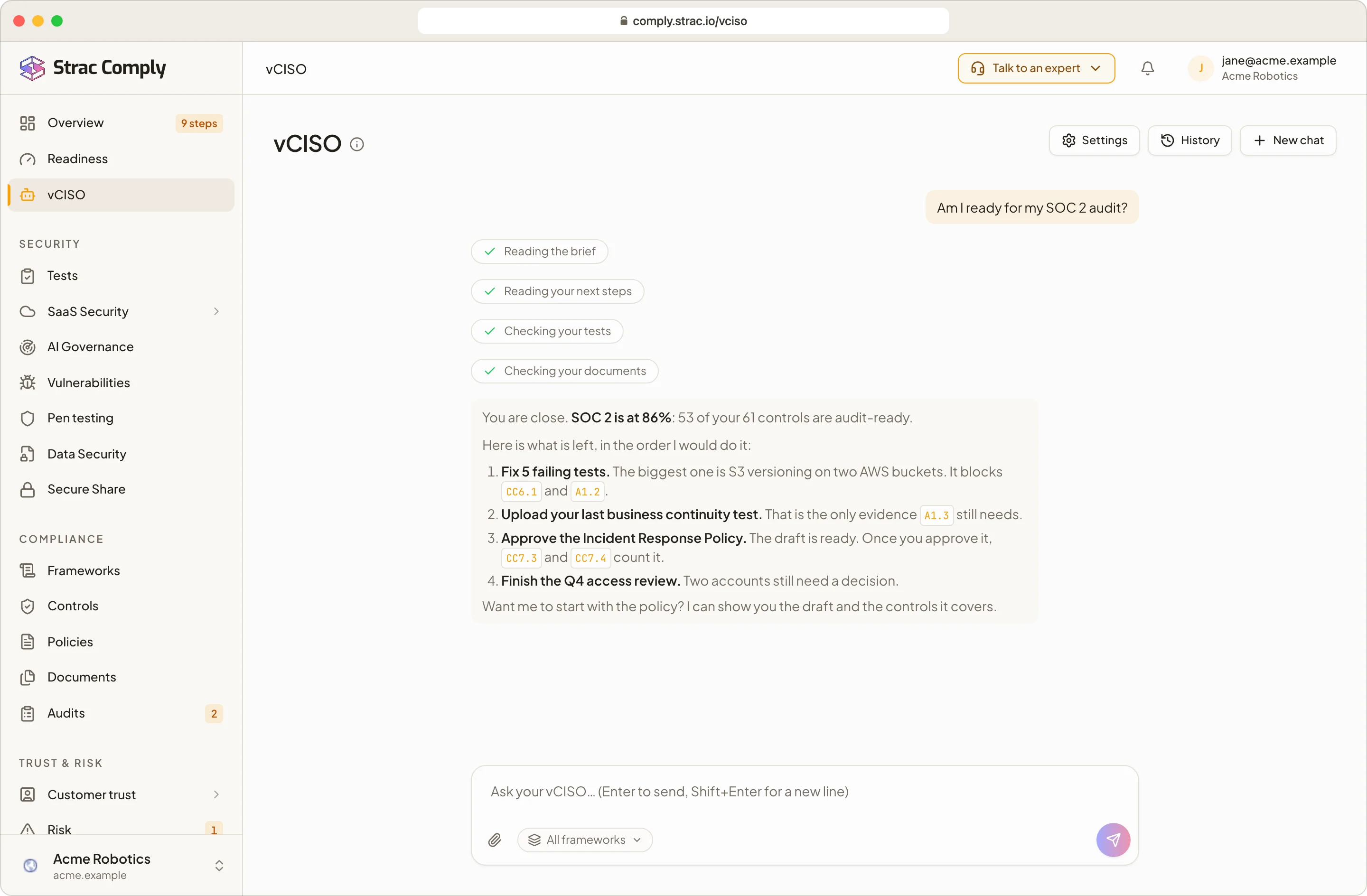
Step 2: Read the answer
The vCISO starts from a summary of your workspace. Each further lookup shows as a small step, then the answer follows.
Admin
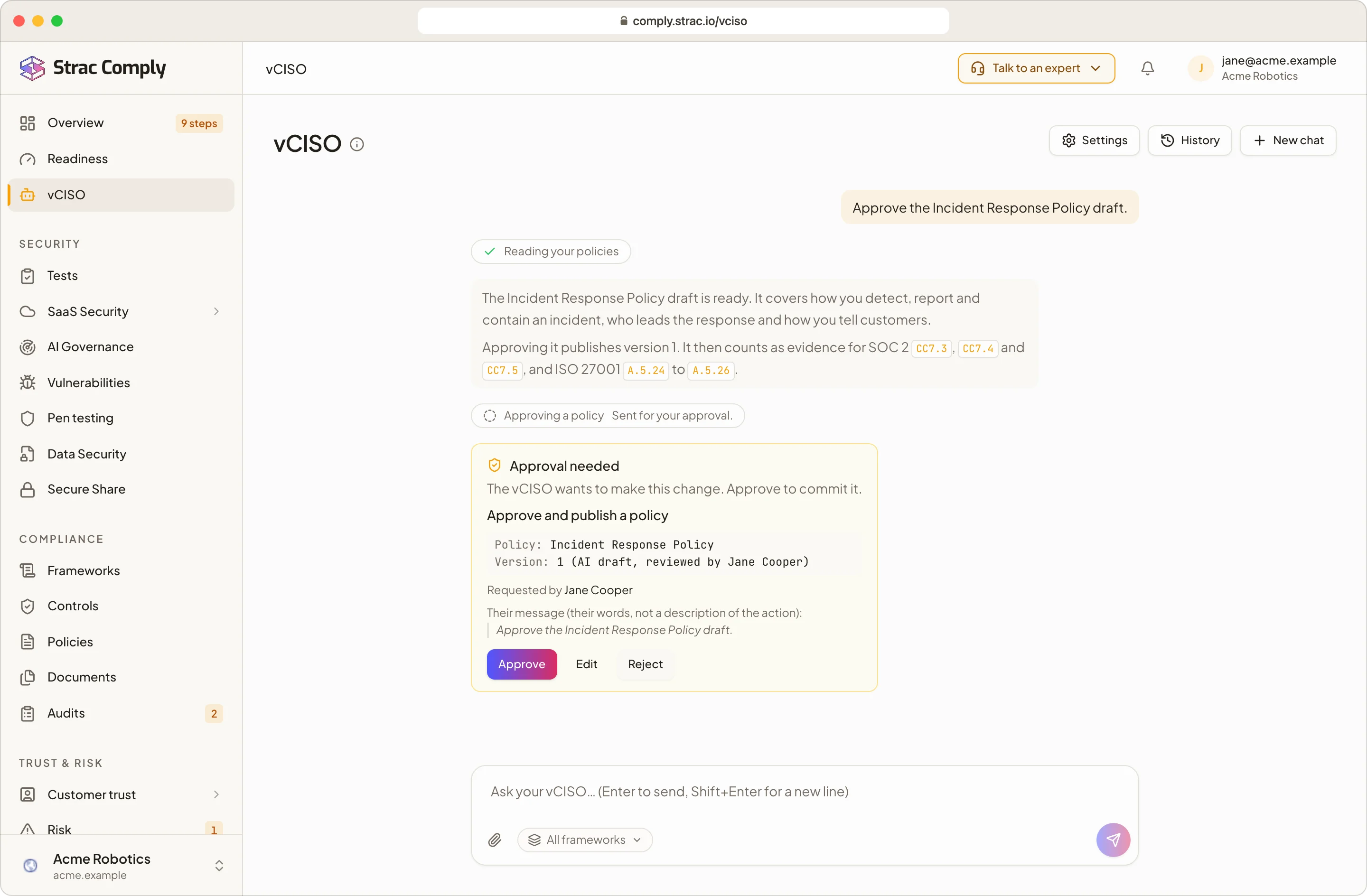
Step 3: Approve a change
Before it publishes a policy, it shows a card. Click Approve, Edit or Reject.
Use History to open an earlier conversation and New chat to start again. A conversation belongs to the person who started it.
The vCISO also answers in Slack. Send it a direct message, mention it in a channel or type /strac and your question. To add it to your Slack workspace, email support@strac.io.
What can the vCISO do?
It reads first and answers from what it finds.
| Task | What happens | Who can ask for it |
|---|---|---|
| Answer and explain | Reads your controls, tests, policies, documents, vendors, risks, people and vulnerabilities, then answers. Owners, admins and members can also ask about accounts and access reviews. | Everyone in your workspace. People in your connected Slack get general answers |
| Search the web | Looks up public facts, such as a vendor advisory. An owner or admin can turn this off. | Everyone in your workspace |
| Draft policies and documents | Writes drafts from your company profile. A draft counts as evidence only after a person approves it. | Owners and admins |
| Run a control's tests | Starts the tests of the integrations behind a control. Ask for the results once they finish. | Owners, admins and members |
| Attach a file to a control | Files a document you add in the chat as evidence on a control. | Owners and admins |
| Approve a policy | Shows an approval card. The policy is published only after an owner or admin clicks Approve. | Anyone can ask. Owners and admins approve |
| Watch your vendors | Compares known exploited vulnerabilities with what it found on your vendors' public websites, each day. Alerts start once Strac turns them on for you. | Owners and admins get the alert |
Viewers can ask questions and read answers. They cannot have the vCISO change anything.
What does the vCISO send to the AI provider?
- By default, chat replaces email addresses and the names it recognizes with stand-ins before a question leaves Strac Comply. The real values come back in the answer.
- Keys, tokens, card numbers and phone numbers it recognizes are removed. Keep passwords out of your questions.
- Text from web pages and from your tools is treated as data, not as instructions.
Owners and admins set three switches in vCISO settings. They are Search the web, Hide people's names and email addresses from the AI provider and Watch our vendors for exploited vulnerabilities. They apply in the app and in Slack.
Which controls does the vCISO help with?
The vCISO is a helper, so it is not evidence itself. The policies it drafts map to these controls. Each control shows whether an approved policy counts for it.
| Framework | Policies it can draft | Controls those policies map to |
|---|---|---|
| SOC 2 | 26 | 61 |
| ISO 27001:2022 | 25 | 120 |
| PCI DSS v4.0.1 | 20 | 250 |
| HIPAA Security Rule | 24 | 100 |
| HIPAA Privacy Rule | 3 | 108 |
| NIST CSF 2.0 | 29 | 106 |
| CCPA | 28 | 71 |
The security policies guide lists every policy and its frameworks.
Frequently asked questions
Is the vCISO a person?
No. It is an AI assistant that answers from your Strac Comply data. When a question needs a person, it tells you how to reach our team.
Can it change things without asking me?
It runs tests without a card. It saves drafts and attaches files without one too, unless the conversation read the web or your tools, or your settings ask for a card. Publishing a policy always waits for Approve.
Does it send our people's names to the AI provider?
By default, it swaps email addresses and the full names it already knows for stand-ins, and restores them in the answer. Any other name you type can reach the AI provider, so use a role instead. An owner or admin can turn the swap off in vCISO settings.
Who can see my conversations?
In the dashboard, you plus the owners and admins of your workspace. Only you can continue it. The vCISO's activity and decisions follow the same rule. Owners and admins see every entry, and everyone else sees the entries from their own requests. A reply in a Slack channel is visible to that channel.
Can I use it in a Slack channel?
Yes. Mention it or type /strac. In a channel it does not list your people, accounts or access reviews. A test result or a risk can still name people, so ask about those in a direct message.
Is it the same as the MCP tool?
No. ask_compliance_question answers from your readiness and your test and policy counts. Drafts, approval cards and web search are in the vCISO.
Questions that apply to every guide, such as who needs an account, are in the guides FAQ.
Next steps
- Security policiesReview and approve the policies the vCISO drafts for you.
- ReadinessSee every step left before your audit.
- Evidence AgentCapture audit screenshots from admin pages and file them on your controls.
New to Strac Comply? Start free trial.