Risk register and risk assessment
Keep a risk register that Strac updates from your own systems. Score each risk, choose how to treat it, and record management approval for your audit.
- Scoring
- Likelihood times impact, 1 to 25, in four levels
- Kept current by
- Strac, checked daily while updates are on
- Counts toward
- SOC 2, ISO 27001, NIST CSF, HIPAA and CCPA
Last checked November 25, 2026
How do I check the risk register from my AI agent?
Ask your agent about your risks. It reads the same register you see on the Risk page.
| MCP tool | Access | What you use it for |
|---|---|---|
| list_risks | Read | Your risks with their scores and levels, treatment, owner, review dates, whether the risk relates to fraud where recorded, and who maintains each one. |
| list_waivers | Read | Accepted risks, exclusions and alternative controls, with the details on file for each one. |
| import_risks | Write | Adds risks from another tool's export, up to 200 at a time. A dry run shows what would change first. |
Try these prompts
- Which risks score 10 or more?
- Which risks have no owner or an overdue review?
- Which risks does Strac maintain, and which did we add?
- Import these risks from our spreadsheet as a dry run.
What your agent gets back. A risk list has one row per risk, with its scores, level, treatment, owner, next review date and who maintains it. An import dry run lists the rows it would add or skip.
list_waivers also needs an owner or admin role. An import needs the risks write scope and an owner or admin role. Approving the register is done in the dashboard.First time? Connect your agent once, then ask.
How do I keep the risk register in the dashboard?
Connect your cloud and your main tools. Strac reads them to find the risks that apply to you.
Admin
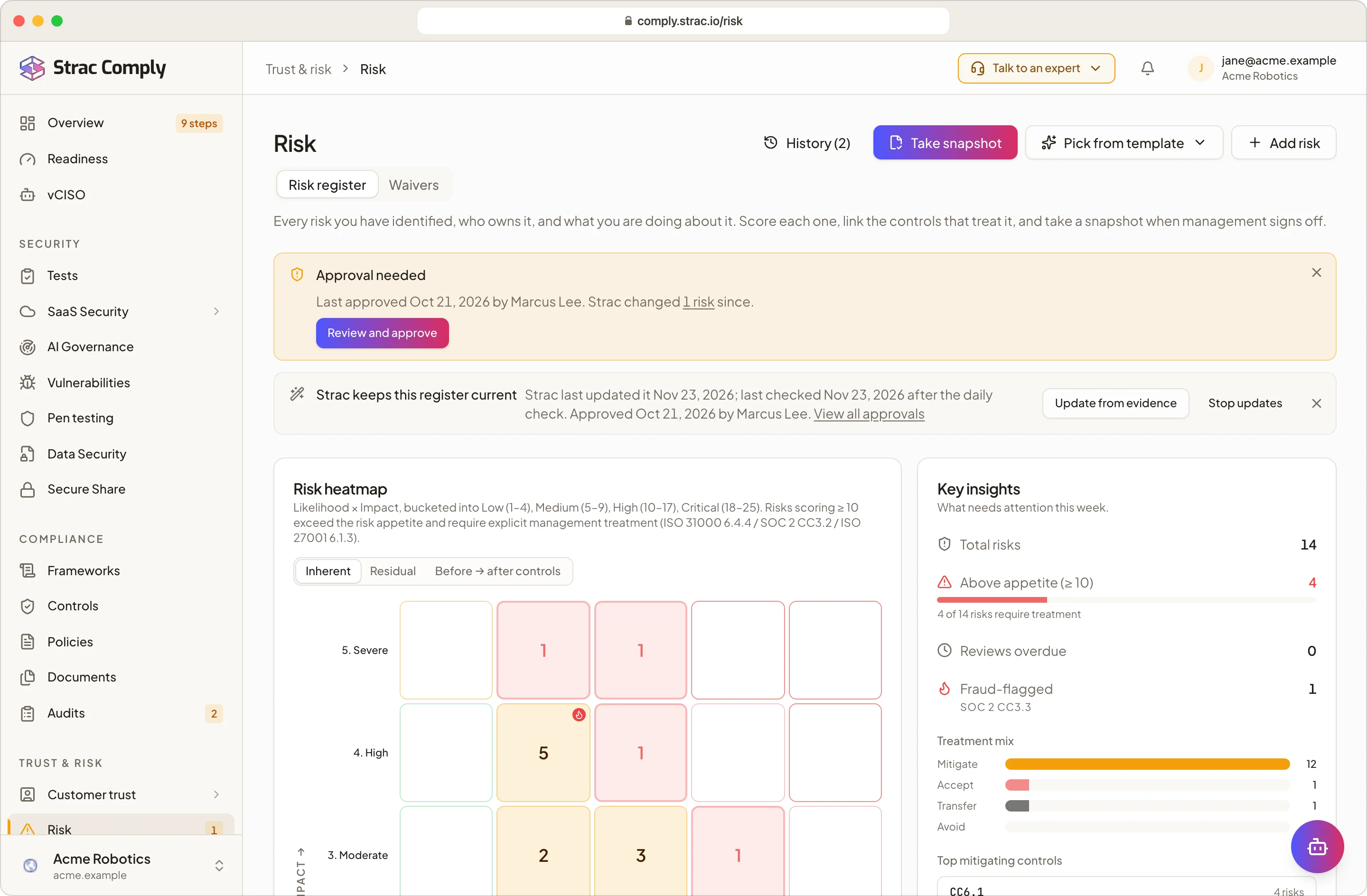
Step 1: See the register Strac keeps
Open Risk. Strac adds risks from your systems and checks them daily while updates are on.
Admin
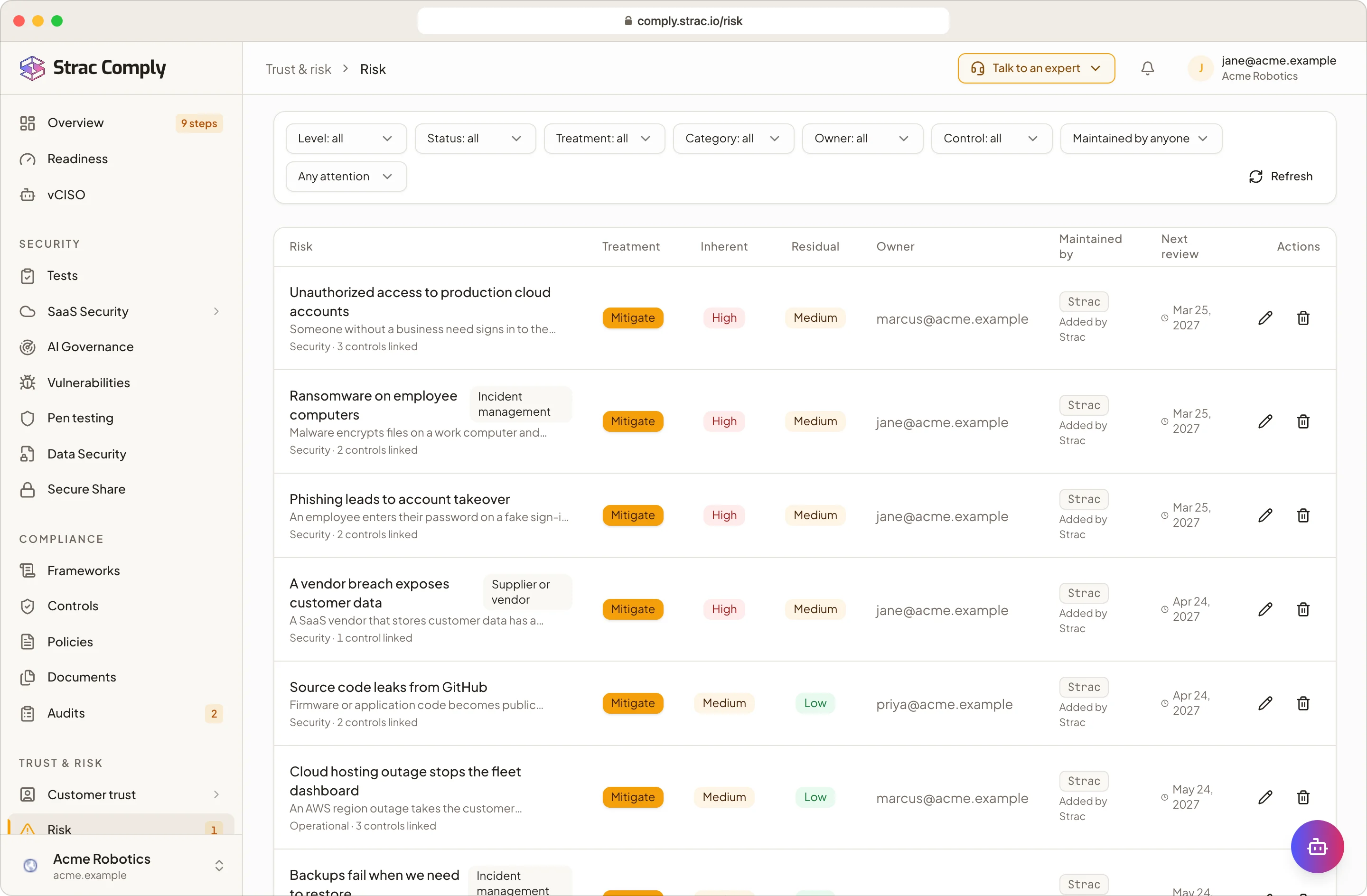
Step 2: Score and treat each risk
Click the edit icon on a risk. Set likelihood, impact, treatment and owner. Link the controls that treat it.
Admin
Step 3: Approve the register
Click Take snapshot. Check the summary, pick your role and tick the confirmation. Click Approve & take snapshot.
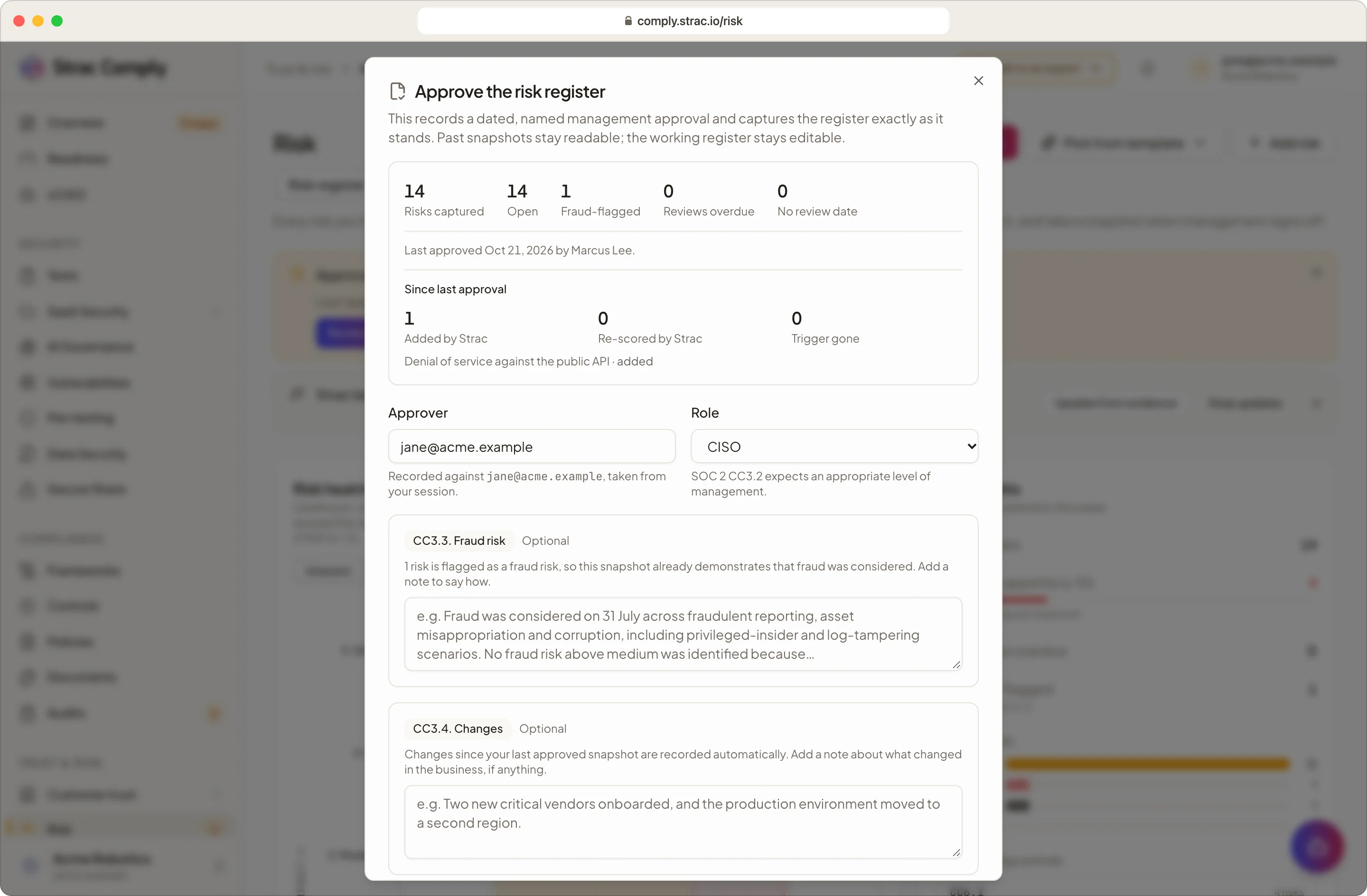
Add your own risks with Add risk (Add custom risk on an empty register) or Pick from template. Tick This risk relates to fraud on a fraud risk. SOC 2 asks you to consider fraud.
A snapshot is a dated approval by a named person. Past snapshots stay readable under History, and the register stays editable.
How does Strac score and treat a risk?
Each risk gets a likelihood and an impact from 1 to 5. The score is the two multiplied, before your controls, and after them when you rate both.
| Level | Score | What it means |
|---|---|---|
| Low | 1 to 4 | Within appetite. |
| Medium | 5 to 9 | Within appetite. Review it on its date. |
| High | 10 to 17 | Above appetite. Plan a treatment and review it often. |
| Critical | 18 to 25 | Above appetite. Treat it first. |
The heatmap shows each risk by likelihood and impact before controls. A risk with residual ratings also shows where it sits after controls.
| Treatment | What it means |
|---|---|
| Mitigate | Apply controls to lower the likelihood or the impact. |
| Transfer | Move the risk to a third party, such as an insurer or a contract. |
| Avoid | Stop the activity that creates the risk. |
| Accept | Leave the remaining risk in place. Record the manager who approved it. |
A risk added from the Vendors page counts as a vendor risk. For a supplier risk you add yourself, pick Supplier or vendor under Evidence categories. See the vendor risk guide.
Which controls does the risk register cover?
An approved register counts as risk evidence. It also files the risk assessment document unless you marked it not applicable. The approval receipt shows whether filing worked. Together they support the controls below.
| Framework | Controls |
|---|---|
| SOC 2 |
|
| ISO 27001:2022 |
|
| NIST CSF 2.0 |
|
| HIPAA Security Rule |
|
| CCPA |
|
Codes use each framework's own numbering: SOC 2 Trust Services Criteria, ISO/IEC 27001:2022 and NIST CSF 2.0. ISO codes that start with A are Annex A controls. Strac Comply adds C before an ISO clause number, so C.6.1.2 is clause 6.1.2. HIPAA codes cite the Security Rule. The CCPA code cites the CCPA statute.
Frequently asked questions
Do the risks Strac adds count before we approve them?
No. A risk Strac maintains counts as evidence only after a person approves the register with a snapshot.
Will Strac overwrite a risk we edited?
No. A field a person sets on a risk Strac maintains stays theirs. A risk linked to a vendor is the exception: reassessing the vendor refreshes its ratings. Strac never closes or deletes a risk. When its reason goes away, Strac can flag it for you to decide.
Can we stop the automatic updates?
Yes. Click Stop updates on the Risk page. Your register stays, and you keep it yourself from then on. A risk linked to a vendor still refreshes when you reassess that vendor.
Who should approve the register?
A manager with authority over risk, such as the CEO or CISO. SOC 2 expects an appropriate level of management. The snapshot records their name and role.
Can we bring risks from another tool?
Yes. Ask your agent to import them with import_risks. Each row needs a treatment, a next review date and whether the risk relates to fraud. For an imported accepted risk, Strac records you as the approver.
Questions that apply to every guide, such as who needs an account, are in the guides FAQ.
Next steps
- Vendor risk managementScore vendors and record their security reviews.
- Compliance documentsThe documents and registers your audit asks for, including the Statement of Applicability.
- SOC 2 requirementsWhat SOC 2 asks for, including the CC3 risk assessment criteria.
New to Strac Comply? Start free trial.