Vendor risk management
Keep one list of the vendors you rely on. Strac scores each vendor from the data it touches and the evidence you hold, and you record the security review your auditor asks for.
- Risk score
- Impact times likelihood, 1 to 25, before and after evidence
- Evidence per vendor
- SOC 2 reports, ISO 27001 certificates, PCI DSS AOCs, DPAs and contracts
- Counts toward
- SOC 2 CC9.2, ISO 27001 A.5.19 to A.5.23 and NIST CSF GV.SC
Last checked November 25, 2026
How do I manage vendors from my AI agent?
Ask your agent about your vendors. It reads your saved vendor list, and it can run assessments and record reviews.
| MCP tool | Access | What you use it for |
|---|---|---|
| list_vendors | Read | Your managed vendors with owners, review dates and attestations, and each risk level and score once assessed. A current PCI DSS AOC shows whether Strac counted it, and why. |
| run_vendor_risk_assessment | Write | Runs Strac's impact and likelihood assessment on one vendor. A dry run shows the result without saving it. |
| record_vendor_security_review | Write | Records a completed security review with your summary of findings. It updates the next review date when the vendor has a review frequency. |
| begin_vendor_document_upload | Write | Starts an upload of a vendor's SOC 2 report, AOC, DPA or other document, with its expiry date. |
| import_vendors | Write | Adds vendors from a spreadsheet or another tool, up to 200 at a time. Ask for a dry run first to preview the changes. |
Try these prompts
- Which vendors are high or critical risk?
- Which vendor security reviews are overdue?
- Which vendors have no owner?
- Record a security review for this vendor from my notes.
What your agent gets back. One row per managed vendor with its owners, last and next review dates, and the compliance labels recorded for it. A vendor not yet assessed shows as unscored.
First time? Connect your agent once, then ask.
How do I manage vendor risk in the dashboard?
Start with the vendors that hold your data or run your product. Add the rest as you go.
Admin
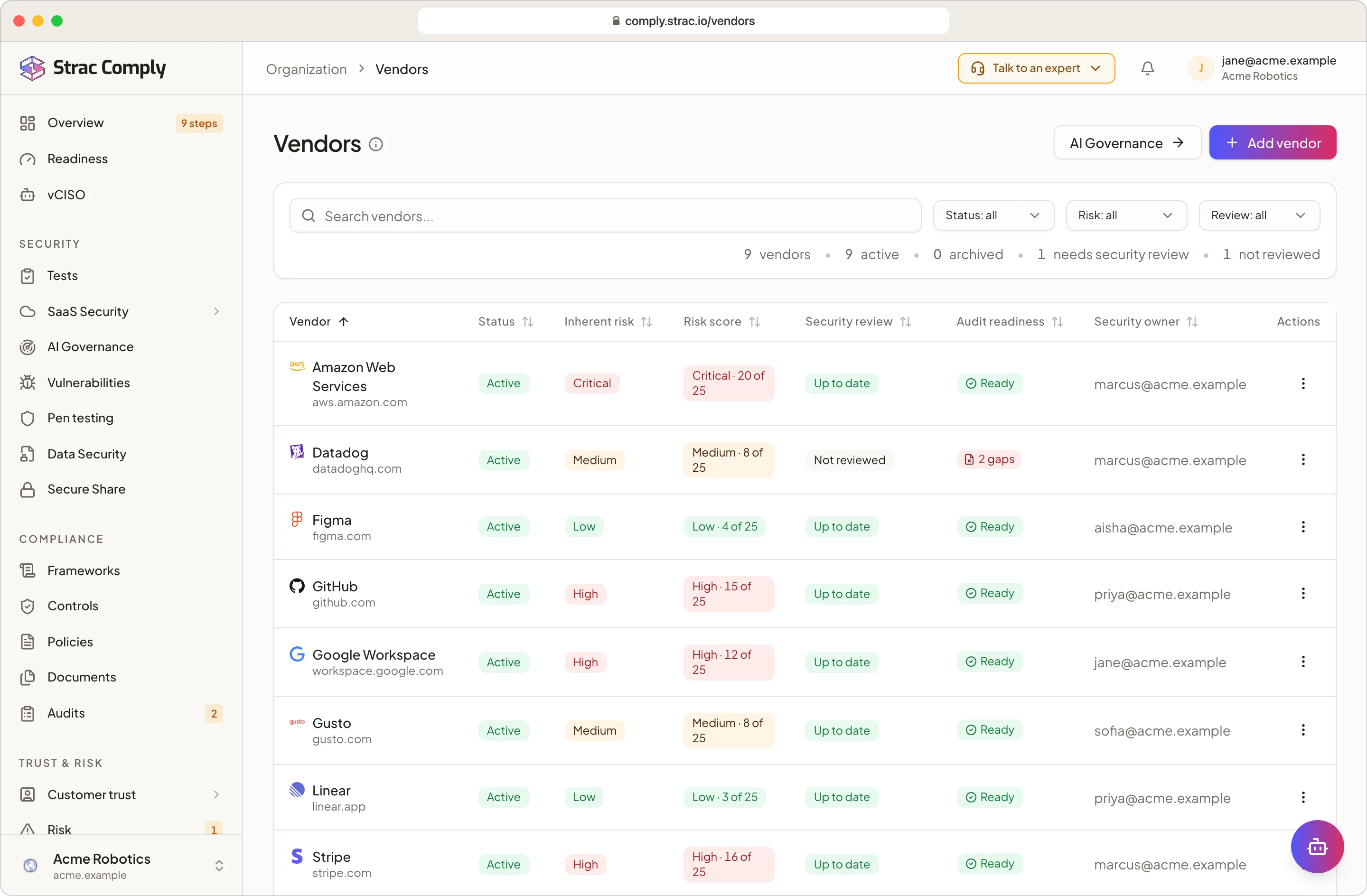
Step 1: List your vendors
Open Vendors and click Add vendor. Set its owners and the data it can reach.
Admin
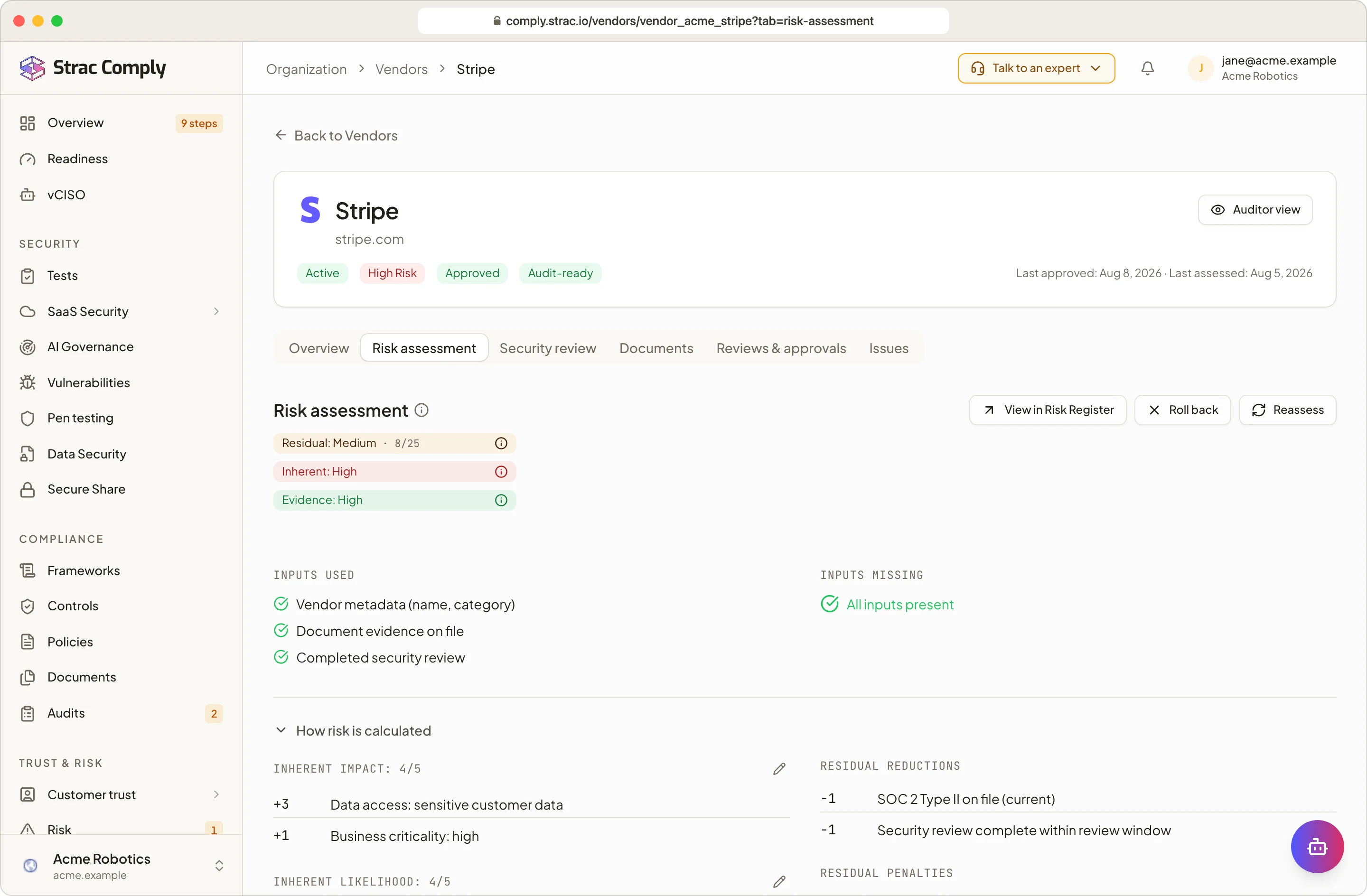
Step 2: Check the risk assessment
Open a vendor's Risk assessment tab. Open How risk is calculated to see each factor behind the score.
Admin
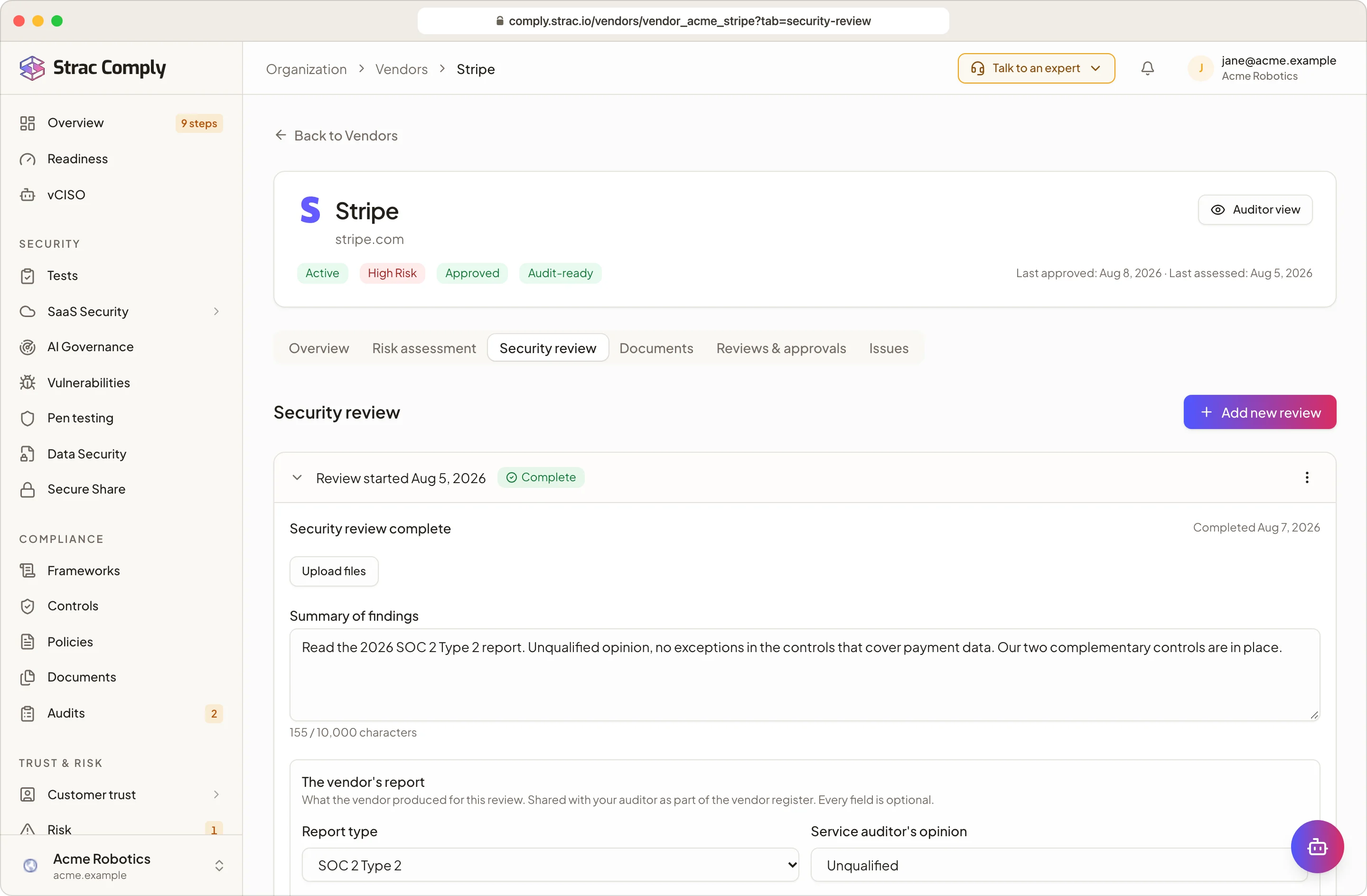
Step 3: Record the security review
On Security review, click Add new review. Record the report you read and your findings. Click Add CUEC for each control the vendor's report assigns to you.
Strac tries to score a new vendor when you add it in the dashboard, and checks daily for vendors with no score. Click Reassess to score it again after you add evidence. An owner or admin can click Add to risk to put the vendor in the risk register.
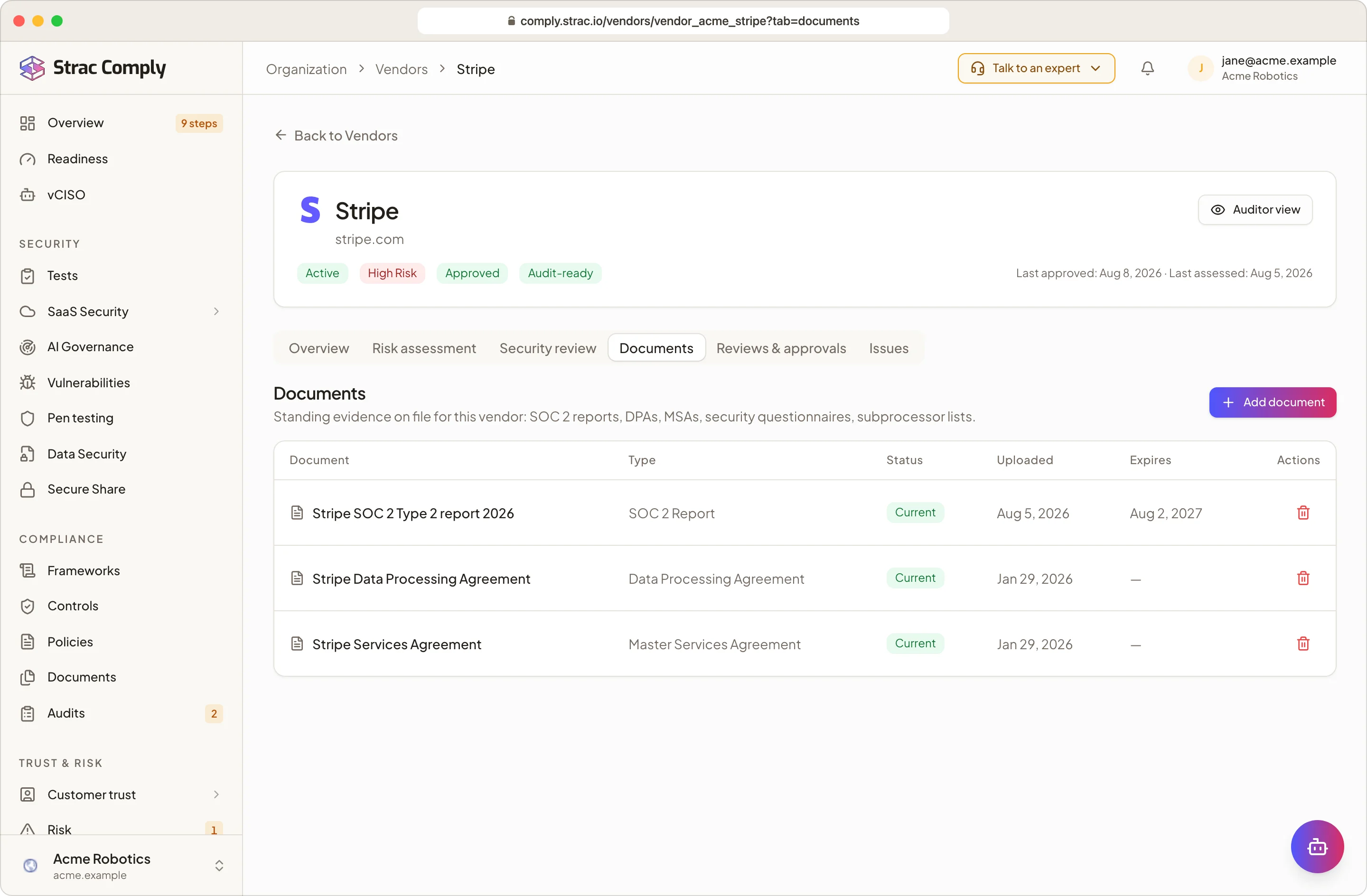
The Documents tab keeps the vendor's reports and contracts with their expiry dates. Strac reads a PCI DSS AOC you file as current, and records who it covers and its report date when it finds them.
How does Strac score a vendor?
The score is impact times likelihood, from 1 to 25. Inherent risk is the score before evidence. Residual risk is the score after it.
| Part of the score | What moves it |
|---|---|
| Impact | The data the vendor can reach, whether it is a subservice organization, production access and business criticality. |
| Likelihood | Whether its record lists a security certification. For a vendor added from discovered apps, the first score also uses its app's risky permissions and how many accounts granted it access. |
| Lowers residual risk | A SOC 2 report, ISO 27001 certificate or DPA you mark current. A completed security review, until its next review date passes. |
| Takes back credit | An overdue security review, or open high or critical issues. Residual risk never goes above inherent risk. |
The same inputs always give the same score. An admin can override the impact or likelihood with a reason, and the assessment shows both.
The Risk assessment tab also shows how complete the evidence is, and which inputs are missing.
Vendor levels: Low 1 to 6, Medium 7 to 12, High 13 to 20, Critical 21 to 25.
A security review records the vendor's report, such as a SOC 2 Type 2 report, the auditor's opinion and your findings. The controls your company owns are kept on the vendor's Security review tab.
Which controls does vendor risk management cover?
Your vendor list, its assessments and its security reviews count as vendor evidence toward the controls below.
| Framework | Controls |
|---|---|
| SOC 2 |
|
| ISO 27001:2022 |
|
| NIST CSF 2.0 |
|
Codes use each framework's own numbering: SOC 2 Trust Services Criteria, ISO/IEC 27001:2022 Annex A, PCI DSS v4.0.1 and NIST CSF 2.0. HIPAA codes cite sections of 45 CFR Part 164. CCPA codes cite the CCPA statute and its regulations.
Frequently asked questions
How often should we review a vendor?
Set a review frequency and its date on the Reviews & approvals tab. Strac sets the next review date from it and flags a review that is overdue. At the next assessment, an overdue review reduces the credit your evidence earns.
Does a vendor risk show in the risk register?
Once you add it. An owner or admin clicks Add to risk on the Risk assessment tab. It counts as a supplier risk in the risk register, and View in Risk Register opens the register.
What does Strac do with a PCI DSS AOC?
Strac reads the PDF to record the company and services it covers and its report date. When Strac counts the AOC for this vendor and finds its report date, the Documents tab shows an AOC review date 12 months later. Check what it recorded against the PDF.
Can we change a score Strac computed?
Yes. An admin can override the impact or likelihood on the Risk assessment tab, with a reason. Retract override removes your change. Roll back withdraws the latest assessment and shows the previous one, if there is one.
Can we bring vendors from another tool?
Yes. Ask your agent to import them with import_vendors. Only the name is required. Ask for a dry run first to see what would change.
Questions that apply to every guide, such as who needs an account, are in the guides FAQ.
Next steps
- Risk registerScore and treat every risk, and record management approval.
- Trust portalShare your own reports and sub-processors with your customers.
- SOC 2 requirementsWhat SOC 2 asks for, including CC9.2 vendor risk.
New to Strac Comply? Start free trial.