Switching from another compliance platform
Moving from another compliance platform? We plan the import with you and run it where we can read your old platform. Your own AI agent can import an export today.
- Who runs it
- Our team where we can read your platform, or your own AI agent
- What you give us
- A read-only API key, or an export for your agent
- Your old platform
- Read only. Nothing there changes.
Last checked November 25, 2026
Can my AI agent run the import?
Yes, from an export of your old platform. In an agent that supports MCP prompts, choose the strac-import prompt and point it at your export folder.
| MCP tool | Access | What you use it for |
|---|---|---|
| begin_policy_uploads | Write | Start the uploads for your policies in one batch. Each row names the policy it replaces, or a title for a new one. |
| finalize_policy_uploads | Write | Finish the policy batch. It saves and approves each policy under your account, and names any that need a retry. |
| begin_document_uploads | Write | Start the uploads for your evidence files in one batch. Each one fills the matching document or is filed on a framework. |
| finalize_document_uploads | Write | Finish the evidence batch. It reports the outcome of each upload and any that need a retry. |
| import_vendors | Write | Add your vendors, and fill missing details on the ones you already have. Preview first with a dry run. |
| import_risks | Write | Add your risk register with treatments and residual scores. It skips titles you already have. Each new risk can keep your old risk id as a reference. |
| import_test_runs | Write | Bring past test runs with the run dates in your export, so your auditor can sample the period before you switched. |
Try these prompts
- Import our old compliance platform's export from ~/Downloads/export.
- Preview the vendor import first, then import it.
- Which files in the export could not be imported, and why?
- Which required documents are still missing after the import?
What your agent gets back. A result for each batch your agent sends. The playbook then reads your workspace back and lists what each file became and what is still missing.
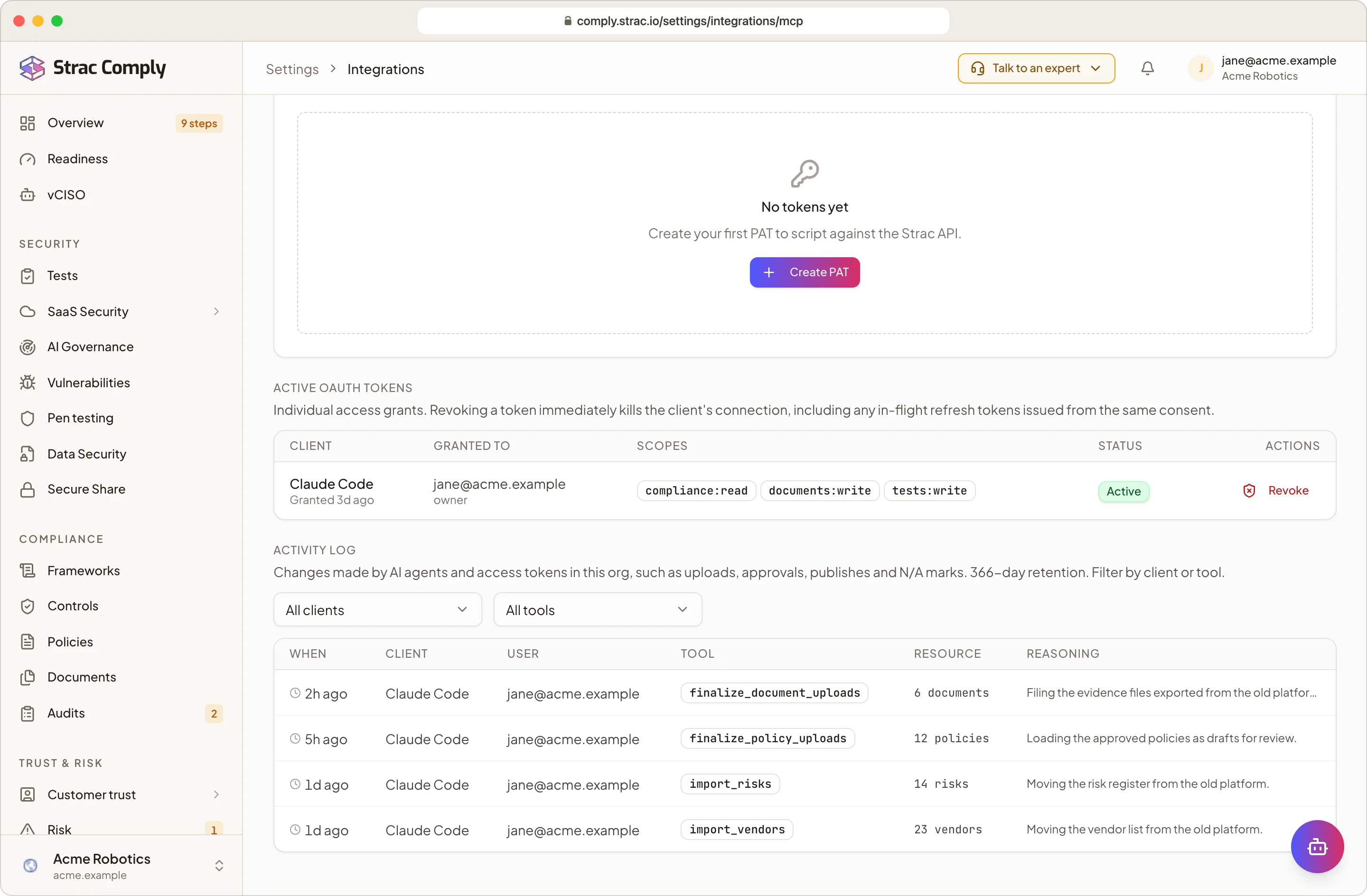
First time? Connect your agent once, then ask.
How does the import work when we run it?
Start a workspace first. Select the same frameworks you use today, then contact us.
Admin
Step 1: Tell us where you are coming from
Email support@strac.io with your current platform and your audit dates. We plan the import with you.
Admin
Step 2: Give us read-only access
Create a read-only API key in your old platform. We never change your data there. Where we cannot read it, your agent imports an export.
Admin
Step 3: Review your program
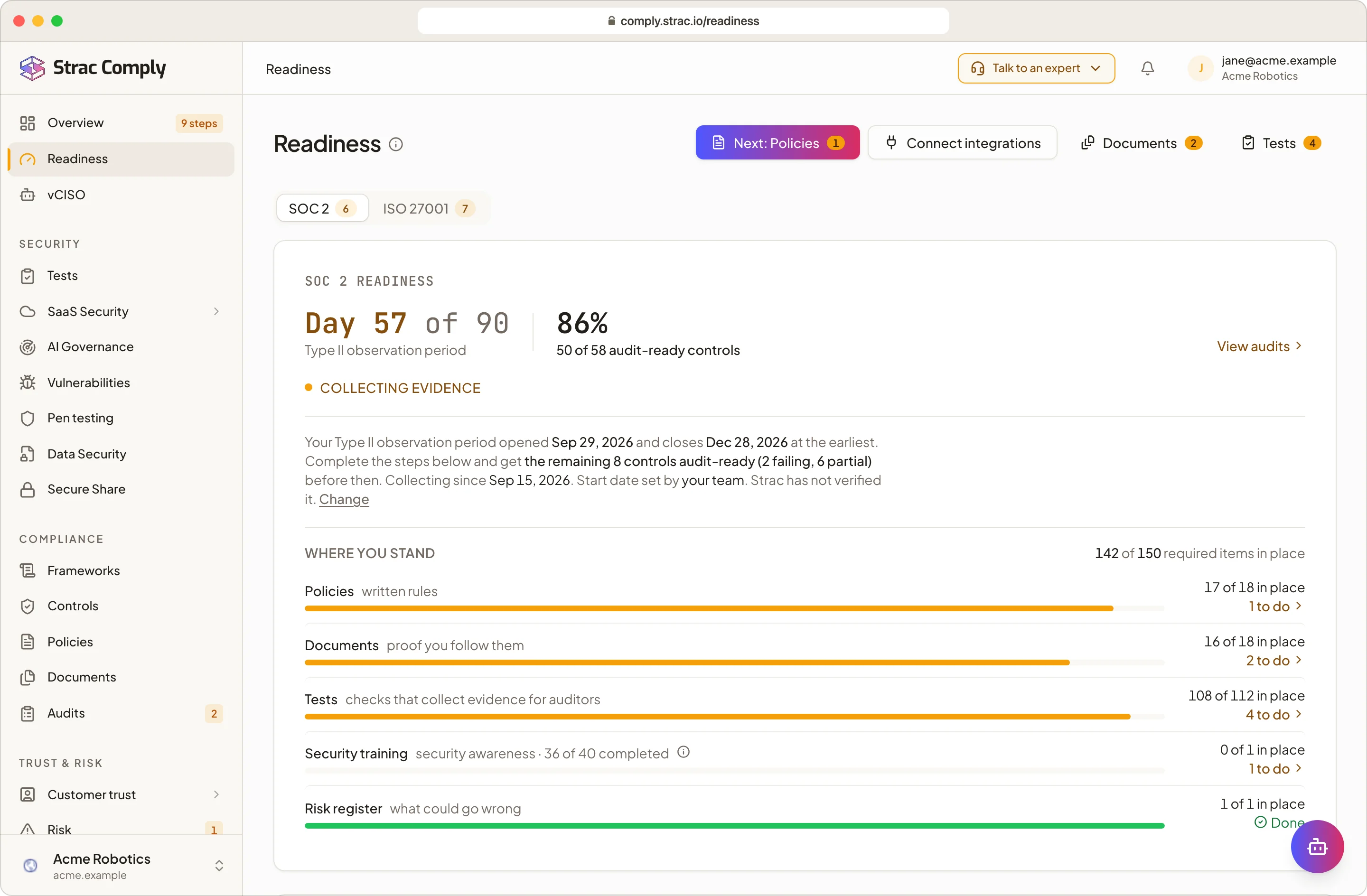
Your records show up as your own. Readiness lists what is still left before your audit.
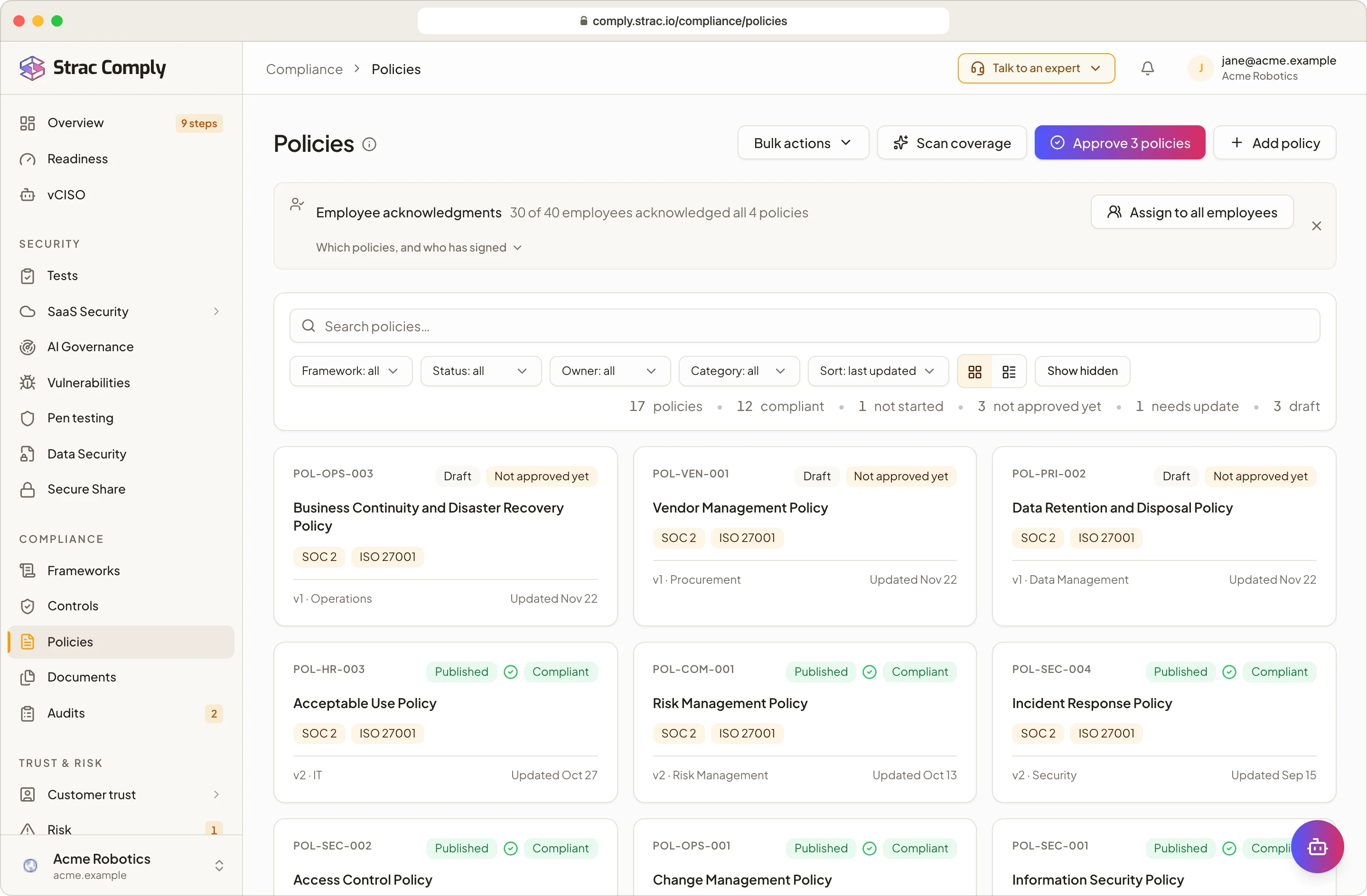
Imported policies keep their approval, their earlier versions and who accepted them. Open Policies to check them.
What moves over?
| Record | What comes with it |
|---|---|
| Policies | Approved versions, earlier versions and who accepted each one |
| Evidence | Stored files with their original date, filed on a matching document where one is open |
| People | Your roster, and training records, signed agreements and background checks for current staff |
| Vendors | Owners, review status, categories and their documents |
| Risks | Your risk register with treatments, owners and links to controls |
| Computers and assets | Work computers and cloud assets |
| Test history | Past test runs with their dates from your old platform |
| Control notes and owners | Notes are added beside your own, never replaced |
What moves depends on what your old platform lets us read. Before you switch, we tell you what cannot move.
Your agent moves policies, documents, vendors, risks and test runs. It approves the policies under your account and dates each file the day it uploads it.
Earlier policy versions, acceptances, people, computers and assets move when our team runs the import.
Earlier audit report files in your export move as documents, so you keep them in one place.
What does my auditor see?
Import your test history before you add tests to an audit. Your auditor then sees the latest runs of each test with their original dates, and which runs were imported. Keep your old platform's export for older samples.
From the day you connect your tools, Strac Comply runs its own tests. Talk to your auditor before you switch in the middle of an audit period.
What should I do before my old platform access ends?
- Connect your tools in Strac Comply, so its own tests take over. See Integrations and automated tests.
- Upload evidence your old platform only linked to, such as files in your own cloud drive.
- Export anything your old platform keeps only in its app, such as files you sent to your auditor.
- Tell us when you are ready, and we close the import.
Which controls do imported records count toward?
An imported policy or document that fills a catalog item counts toward the same controls as one you add yourself.
| Framework | Controls |
|---|---|
| SOC 2 | 61 |
| ISO 27001:2022 | 123 |
| PCI DSS v4.0.1 | 250 |
| NIST CSF 2.0 | 106 |
| HIPAA Security Rule | 100 |
| HIPAA Privacy Rule | 108 |
| CCPA | 71 |
Once your tools are connected, your score moves as Strac Comply tests them.
Frequently asked questions
Do we have to start our audit over?
No. Your test history keeps its original dates, so your auditor can sample recent runs from before you switched. Confirm the plan with your auditor first.
Do we have to do the import ourselves?
Not where we can read your old platform. Our team runs it with your written go-ahead. Otherwise your AI agent imports an export with the strac-import playbook.
Does anything change in our old platform?
No. We only read from it. You can close your account there once you are ready.
How long does it take?
It depends on how much data you have. Plan for days, not minutes, and keep your old platform until we confirm the import.
Will our readiness score change?
Approved policies and documents on catalog items count toward your controls. Check their review dates after the import. Your score then moves as Strac Comply tests the tools you connect.
What about the integrations we had?
Connect each tool Strac Comply supports directly. Its own tests then collect evidence, daily by default.
Questions that apply to every guide, such as who needs an account, are in the guides FAQ.
Next steps
- Your first hourSet up your workspace and select your frameworks before the import.
- Integrations and automated testsConnect your tools, so Strac Comply tests them every day.
- ReadinessSee what is left before your audit once your records are in.
New to Strac Comply? Start free trial.